
Tired of the plain, boring incoming call screen on your Android phone? Imagine your phone lighting up with vibrant colors, animated effects, or personalized wallpapers every time someone calls. In 2026, customizing your call screen with the best call wallpaper themes has never been easier or more fun. These apps turn ordinary calls into eye-catching experiences, whether you want a romantic glow, neon vibes, or something quirky like anime characters.
With millions of downloads on Google Play, these themes boost your phone’s personality while adding practical features like better caller visibility and LED flash reminders. Let’s dive into the best options, how they work, and tips to pick the right one for you.
What Are Call Wallpaper Screen Themes?
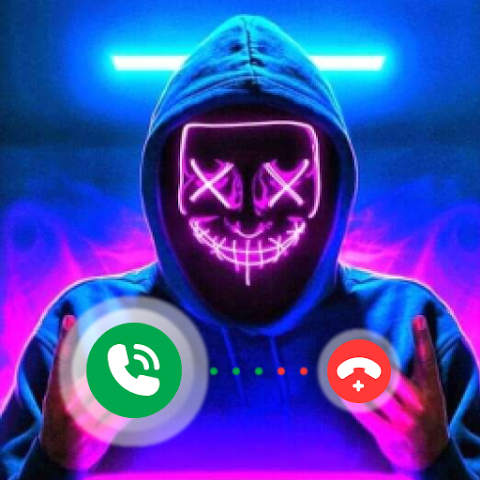
Call wallpaper screen themes (also called caller screen themes, color call themes, or full-screen caller ID customizations) are apps or features that overhaul your Android phone’s incoming and outgoing call interface. Instead of the stock dialer showing a simple photo and buttons, these replace it with full-screen wallpapers, dynamic animations, colorful backgrounds, 3D effects, and even flash notifications.
The main purpose? To make calls more visually appealing and personalized. For example, you can set different themes per contact—like a heart-filled love theme for your partner or a cool galaxy background for friends. Many include LED call flash alerts for silent mode or hearing-impaired users, dynamic answer/reject buttons, and integration with your existing contacts.
These aren’t built into stock Android (though Google Phone app has minor tweaks), so third-party apps fill the gap. Popular ones run smoothly on Android 12–15+ and focus on battery-friendly designs in recent updates.
Key Features & Benefits of Top Call Wallpaper Screen Themes
Here are the standout features that make these apps worth trying:
- Huge Library of Themes — Over 10,000+ options in top apps, including categories like neon, love, hero, anime, galaxy, 3D, and seasonal designs.
- Custom Wallpapers & Live Backgrounds — Set HD/4K images, animated live wallpapers, or your own photos as call backgrounds.
- Color Flash & LED Alerts — Bright screen flashes or camera LED blinks for incoming calls—great for not missing calls in noisy or dark environments.
- Dynamic Effects — Animated answer buttons, particle effects, glows, and transitions that make calls feel premium.
- Per-Contact Customization — Assign unique themes, ringtones, or flashes to specific people.
- Caller ID Enhancements — Full-screen display with name, number, and photo for better recognition.
- DIY Options — Many let you create custom themes using your images or colors.
- Weekly Updates — Fresh themes added regularly to keep things exciting.
These features help users express style, improve accessibility, and make everyday calls more enjoyable. Personally, I’ve found the flash alerts super handy during meetings or workouts when my phone’s on vibrate.
Comparison with Alternatives
Many apps compete in this niche, but a few stand out. Here’s a quick comparison of popular ones based on user feedback, features, and 2026 relevance:
| App Name | Themes Count | Key Strengths | Drawbacks | Rating (Play Store est.) | Free/Paid |
|---|---|---|---|---|---|
| Color Phone: Call Screen Themes | 10,000+ | Massive variety, live wallpapers, flash alerts, frequent updates | Some ads, occasional battery use | 4.5–4.8 | Free (in-app) |
| BlingCall – Call Screen Themes | Thousands | Stylish designs, easy customization, color flash reminders | Fewer categories than leaders | 4.1–4.5 | Free |
| Color Call Themes (hmbl Apps) | High | 4K wallpapers, 3D buttons, DIY themes | Permissions requests can be high | 4.4+ | Free |
| Jolt: Call Background | Moderate | Simple, low-battery focus, iOS-like styles | Less variety | 4.5+ | Free |
| Stock Google Phone App | Limited | No extra install, basic caller ID | No real themes or animations | Built-in | Free |
Color Phone often wins for sheer volume and creativity, while BlingCall appeals to users wanting something sleek without overload. Avoid overly ad-heavy ones if battery life matters to you.
Pros & Cons of Using Call Wallpaper Screen Themes
Pros:
- Transforms a boring feature into something fun and personal.
- Improves call visibility with full-screen displays and flashes.
- Huge free options—no need to pay for premium looks.
- Easy to set up and switch themes anytime.
- Adds accessibility (flash alerts for silent/vibrate mode).
Cons:
- Third-party apps may request permissions (contacts, camera for flash, overlay)—review privacy carefully.
- Ads in free versions can interrupt setup.
- Slight battery or performance impact on older devices (minimize with low-battery modes in-app).
- Some themes may not work perfectly on all Android skins (e.g., Samsung One UI vs. stock).
- Rare bugs like frozen screens during calls (update apps regularly).
Overall, pros outweigh cons for most users who love personalization.
User Tips and Latest Updates for 2026
In 2026, top apps like Color Phone have improved compatibility with Android 15/16, better battery optimization, and more privacy-focused permissions. Here’s how to get the most out of them:
- Choose Battery-Friendly Settings — Turn off constant animations or high-res live wallpapers if your phone heats up.
- Set Per-Contact Themes — Assign fun ones (e.g., fireworks for your bestie) to make calls exciting.
- Combine with Ringtones — Pair a theme with a custom sound for full immersion.
- Test Flash Alerts — Useful for silent mode—ensure camera permission is granted.
- Update Regularly — New themes drop weekly; check for bug fixes.
- DIY Your Own — Upload personal photos for truly unique caller screens.
- Privacy Check — Only grant necessary permissions; avoid shady APKs outside Play Store.
- Alternatives if Issues — If an app lags, try lighter ones like Jolt or stick to Google Phone for basics.
Pro tip from experience: Start with 2–3 themes to avoid overwhelming your dialer—quality over quantity!
FAQs
What is the best app for call wallpaper screen themes on Android? Color Phone: Call Screen Themes tops the list in 2026 with over 10,000 options, live wallpapers, and reliable flash alerts. It’s free, updated often, and user-friendly.
Are these call screen themes safe to use? Yes, when downloaded from Google Play. Stick to high-rated apps, read reviews, and review permissions. Avoid unknown sources to prevent malware.
Do call wallpaper themes drain battery? Minimal impact on modern devices, especially with optimizations in 2026 versions. Disable heavy animations for longer life.
Can I use my own photos as call backgrounds? Absolutely! Most top apps support custom uploads or DIY themes for personalized caller screens.
How do I set up a call screen theme? Install the app, grant permissions, browse themes, apply one (or per-contact), and test with a call. It’s usually a few taps!
Conclusion
Customizing your Android call screen with the best call wallpaper themes in 2026 is a simple way to add flair and functionality to your phone. From vibrant color flashes and animated effects to thousands of stylish backgrounds, apps like Color Phone make your calls stand out while improving everyday usability.
Whether you’re into sleek neon designs, romantic vibes, or something unique like anime themes, there’s an option for everyone. Give one a try today—your incoming calls will thank you! Download your favorite from Google Play, experiment, and enjoy a more personalized calling experience. What theme are you setting first? Share in the comments!