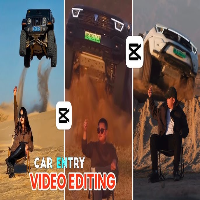

Have you scrolled through Instagram and noticed those jaw-dropping car entry videos where vehicles appear to drift or fly into the frame? These aren’t professionally filmed with expensive cameras or drones. They’re created entirely through smart video editing and AI tools—and anyone can do it.
Car entry video editing has exploded on Instagram in 2026, with single videos racking up millions of views. Whether you’re a car enthusiast, content creator, or someone wanting to go viral, this trend is your golden opportunity. The best part? You don’t need expensive equipment. Just a phone, free software like CapCut, and this complete guide.
What Is Car Entry Video Editing?
Car entry video editing is a creative technique where cars appear to enter the scene dramatically—as if they’re drifting, flying, or driving directly toward the viewer. The effect creates an illusion of motion and impact that feels cinematic and professional.
How it works: You combine AI-generated images with video animation tools. First, you create a realistic car image using Google Gemini or similar AI platforms. Then, you convert that image into a video using specialized tools like Pika Labs, Runway, or Flux. The result? A stunning car video that looks like it was shot with a professional film crew.
This trend exploded because it’s accessible, fast to create, and naturally viral. Instagram’s algorithm favors novel, eye-catching content—and car entry videos check all those boxes.
Key Features & Benefits of Car Entry Video Editing
Dynamic motion effects: The video shows cars moving smoothly and realistically, creating depth and perspective that grabs attention instantly.
AI-powered realism: Modern AI tools generate car images so detailed and accurate that viewers can’t tell the difference from real photography.
No expensive equipment needed: You need only your phone and free software. No cameras, drones, or studio equipment required.
Quick production time: From concept to finished video takes 15-30 minutes. You can create multiple videos daily.
Highly shareable content: The cinematic quality and novelty factor make these videos natural for sharing across platforms.
Versatile car options: Choose from sports cars, luxury vehicles, drift cars, or vintage classics. The possibilities are endless.
Trending on multiple platforms: While Instagram is primary, these videos also perform exceptionally well on TikTok, YouTube Shorts, and Facebook Reels.
Low technical skill required: You don’t need editing experience. Templates and AI tools guide you through each step.
Car Entry Video Editing vs. Traditional Video Methods
Car entry video editing represents a fundamental shift in how creators produce automotive content.
| Aspect | Traditional Method | Car Entry Video Editing |
|---|---|---|
| Equipment Cost | $2,000–$5,000+ | $0–$0 (all free tools) |
| Production Time | 2-4 hours | 15-30 minutes |
| Technical Skill | Advanced editing skills | Beginner-friendly |
| Locations Needed | Real car, outdoor shoot | None (AI-generated) |
| Consistency | Weather/lighting dependent | Always perfect conditions |
| Viral Potential | Standard | Exceptionally high |
| Revision Cost | High (reshoot required) | Zero (recreate instantly) |
| Learning Curve | Steep (months) | Easy (1-2 hours) |
The clear winner? Car entry video editing hands down. You get professional results without any of the hassle or investment.
Pros & Cons of Car Entry Video Editing
Pros:
- Incredibly fast to create—even faster as you practice
- Zero barrier to entry financially
- Unlimited creative potential with any car imaginable
- Perfect for building an online audience quickly
- Templates available make it foolproof
- Works across all social platforms
- Highly engaging and shareable content
- You can batch-create dozens of videos weekly
- No copyright issues with AI-generated content
- Natural feature for Instagram’s Explore page
Cons:
- Requires understanding of AI image tools
- Quality depends on prompt engineering skills
- Takes a few tries to nail the effect perfectly
- Some AI tools have processing wait times
- Trending formats change quickly
- Oversaturation may happen eventually
- Requires consistent posting to maintain momentum
- Needs good internet connection for uploads
- Platform algorithm changes could affect reach
Complete Step-by-Step Tutorial: How to Create Car Entry Videos (2026)
Step 1: Create Your AI Car Image
Start by generating a realistic car image. Open Google Gemini (or Midjourney for premium results) and enter this prompt:
“High-quality, photorealistic image of a [car model] from a [angle view]. Cinematic lighting, studio lighting, 4K quality. The car is positioned [description]. Professional automotive photography style.”
Example: “High-quality, photorealistic image of a red Ferrari from a front 3/4 angle. Cinematic lighting, studio lighting, 4K quality. The car is positioned dynamically as if drifting. Professional automotive photography style.”
Pro tip: Use specific car names (Ferrari, Lamborghini, Tesla) for better results. Include angle descriptions like “front view,” “side profile,” or “angled from above.”
Step 2: Convert Image to Video
Download your AI car image, then open Pika Labs (pika.art) or Runway Gen-3. Upload your image and use this motion prompt:
“The car enters smoothly from the left side, drifting across the frame with dynamic motion. Professional cinematic camera movement. Maintain the car’s realistic quality throughout.”
Set duration to 5-7 seconds (Instagram Reels work best at this length).
Step 3: Download and Import to CapCut
Once your video generates, download it. Open CapCut (free app on iOS/Android or desktop) and create a new project with a 9:16 aspect ratio for Instagram Reels.
Import your car video as the main footage.
Step 4: Add Transitions & Effects
CapCut has built-in car effects. Navigate to Effects → Transitions and apply:
- “Hand Cover” transition (makes it look like someone filmed with their phone)
- “Zoom” effect at the start (creates a quick hook)
- “Blur Zoom” effect in the middle (adds dynamic energy)
Layer these effects subtly—don’t overdo it.
Step 5: Apply Color Grading
Your AI image is perfect, but professional color grading makes it shine. Go to Adjust → Filter and choose:
For cinematic look: Apply “Cool Blue” or “Sunset Orange” filters at 60-80% intensity.
For vivid impact: Use “Vibrant” or “Neon” filters at 40-50% intensity.
Manually adjust:
- Brightness: +5 to +10 (makes it pop)
- Contrast: +8 to +12 (adds punch)
- Saturation: +10 to +15 (vivid colors)
- Vignette: +3 to +5 (cinematic edge darkening)
Step 6: Add Trending Audio
Music makes or breaks viral content. Use CapCut’s library or TikTok’s trending sounds. Popular choices for car videos include:
- Hard-hitting electronic beats
- Motivational orchestral music
- Trending hip-hop tracks
- Dramatic cinematic scores
Pro tip: Match the car’s speed to the music beat. Quick cars = fast-paced music. Luxury cars = smooth, sophisticated tracks.
Step 7: Add Text & Captions
Create engaging overlays:
- Start with a hook: “POV: Your new car just arrived” or “This car costs $500K”
- Mid-video detail: “0-60 in 2.5 seconds”
- End CTA: “Drop a ❤️ if you’d drive this”
Keep text brief (3-5 words per overlay). Use bold, contrasting fonts like Arial or Impact.
Step 8: Export with Best Quality Settings
Before exporting, set parameters for maximum quality:
- Resolution: 1080x1920p (full HD)
- Frame rate: 30 FPS (smooth playback)
- Bitrate: High quality export
- Codec: H.264 (optimal for Instagram)
Hit export and save to your phone’s gallery.
Tools You’ll Need (All Free in 2026)
AI Image Generation:
- Google Gemini (free, no credits needed)
- Midjourney (first 25 generations free)
Video Animation:
- Pika Labs (50 free monthly generations)
- Runway Gen-3 (monthly free tier)
- Flux (free tier available)
Video Editing:
- CapCut (100% free, desktop & mobile)
- Adobe Premiere Elements (limited free trial)
Audio & Music:
- CapCut’s built-in library
- TikTok Sounds (sync-able to external videos)
- Epidemic Sound (free trial)
Optional Enhancement:
- PixPretty AI Photo Editor (polish your thumbnails)
Latest Tips & Updates for 2026
Batch content creation: Film or generate 5-10 car images in one session, then create videos separately. This saves massive time and keeps you consistent.
Vertical-first design: Always remember 9:16 aspect ratio for Instagram Reels. Horizontal videos get rejected by the algorithm.
Hook in first 0.5 seconds: The opening frame must be stunning. Your car should be immediately visible and eye-catching.
Audio synchronization: Match cuts, transitions, and effects to beat drops in your music. Viewers unconsciously recognize this timing and watch longer.
Trending sounds matter more than music quality: A mediocre video with trending audio outperforms a beautiful video with generic music.
Post consistently: Go viral once is luck. Build a following by posting 3-5 car entry videos weekly.
Cross-platform strategy: Upload the same video to Instagram Reels, TikTok, and YouTube Shorts simultaneously. Use scheduling tools like Buffer or Later.
Platform compliance: Add caption “Inspired by [Original Creator]” if using existing video templates or effects. Always cite sources.
Niche variation: Don’t just do supercars. Try electric vehicles, vintage classics, luxury trucks, or JDM builds. Variety keeps your audience engaged.
Engagement tactics: Respond to comments, create car lists (“Guess the car!” series), and collaborate with other creators. Community matters.
Frequently Asked Questions
Q: Do I need to own the car to make these videos?
A: Absolutely not! Car entry videos use AI-generated images. You’re creating fictional cars or iconic models. No ownership required.
Q: How much does it cost to create car entry videos?
A: Zero dollars. Every tool mentioned (Gemini, Pika Labs, CapCut) has free tiers with generous limits. You can create 50+ videos monthly without spending a cent.
Q: What’s the fastest turnaround from idea to posted video?
A: Once experienced, 15-20 minutes. Generate image (3 min), create video (5 min), edit in CapCut (7 min), upload (2 min). This gets faster with practice.
Q: Can these videos get me monetized on Instagram?
A: Yes, absolutely. Once you hit 10,000 followers with consistent engagement, you qualify for Instagram’s monetization programs. Car content performs exceptionally well.
Q: Why are car entry videos trending specifically in 2026?
A: Three reasons: (1) AI image quality reached photorealism in 2025-2026, making videos indistinguishable from real footage. (2) The novelty factor attracts algorithm favoritism. (3) Cars are universally appealing—everyone loves vehicles, luxury, and motion.
Q: What if my AI-generated car doesn’t look realistic?
A: Refine your prompt. Add specific details like “studio lighting,” “4K professional photography,” and “cinematic quality.” Use specific car names rather than generic descriptions. Your prompt quality directly impacts output quality.
Q: Can I make money from these videos if I don’t have followers yet?
A: Yes, through content licensing or stock platform sales. Some creators earn $100-500 monthly selling their videos to stock sites before building a following.
Q: Is it legal to create and post AI-generated car videos?
A: Yes. These are your original creations using AI tools. You own the videos. No trademark issues with AI-generated cars. However, avoid using real celebrity likenesses or specific brand logos maliciously.
Q: How long before I go viral with my first video?
A: No guaranteed timeline. Some creators go viral first upload. Others need 20+ videos. Quality, posting time, trending sounds, and luck all factor in. Consistency matters more than perfection.
Q: What aspect ratio should I use for maximum reach?
A: 9:16 (vertical) for Instagram Reels, TikTok, and YouTube Shorts. This format fills mobile screens completely and gets prioritized by algorithms. Avoid horizontal 16:9 unless posting to YouTube’s main feed.
Prompt for image 👇
Please generate a image using my picture A striking editorial portrait of a handsome young man in a long, camel-brown overcoat and black leather pants/ boots, seated on a black folding chair in the middle of a vast, bright desert with large sand dunes. Harsh, natural light.
Prompt for Video Editing 👇
A stunning outdoor fashion portrait of a cool, confident man in a brown coat and thigh-high black boots, come in frame and sitting on a camping chair in a sun-drenched, sandy desert landscape. An action vehicle (indian thar black colour ) is partially visible in the background and come as jump backside of man, adding an element of dynamic excitement.”
Conclusion
Car entry video editing is the most accessible path to viral content in 2026. You don’t need expensive equipment, professional skills, or years of experience. You need an idea, 20 minutes, and the free tools available right now.
The trend is at peak momentum. Early adopters are building audiences of 100K+ followers in months. Late 2026 and 2027 will see saturation, but right now? This is your window.
Start today. Generate your first AI car image using the prompts we covered. Animate it into a video. Edit it in CapCut using our step-by-step process. Upload it. Repeat 3-5 times weekly.
Within 30 days of consistent posting, you’ll see which car styles and audio choices resonate. Double down on those. Build your niche. Monetize your audience.
The next viral creator could be you. Your audience is waiting on Instagram, TikTok, and YouTube—they just don’t know it yet. Show them. Create that first car entry video right now.
Ready to go viral? Pick a car you love, follow this guide, and post your first video today. The algorithm is primed for creators like you.