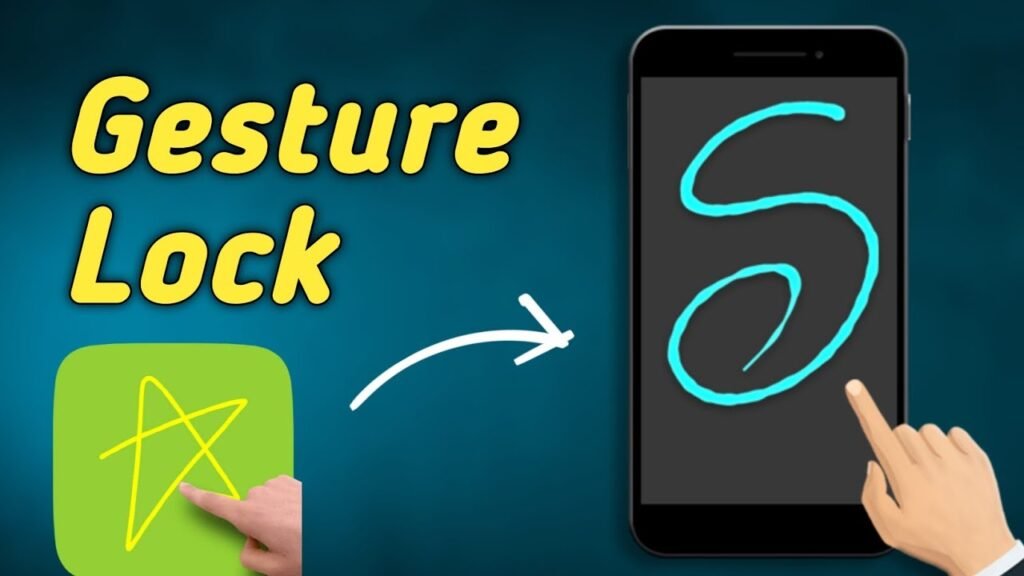
A gesture lock screen is a modern alternative to traditional PIN codes and pattern locks that lets you unlock your phone by drawing a unique gesture directly on the screen. Instead of typing numbers or connecting dots on a grid, you simply draw whatever you want—a letter, signature, shape, or symbol—to access your device.
What Is a Gesture Lock Screen for Your Mobile Phone?
This innovative security method combines the simplicity of visual unlocking with powerful protection features. Think of it as creating your own personal password through movement. The technology doesn’t just recognize what you draw; it also analyzes how you draw it, including the speed, angle, and pressure of your strokes. This makes gesture-based authentication significantly harder to replicate than static passwords, even if someone watches you unlock your phone.
The concept has gained massive popularity on Android devices, with millions downloading gesture lock screen apps from the Google Play Store. Major brands like Samsung, Xiaomi, and Nothing have integrated gesture recognition into their native systems, allowing users to perform actions like locking their screens with a double tap on the home screen or waking their displays with similar gestures.
Key Features & Benefits of Gesture Lock Screens
Speed and Convenience
Gesture lock screens can be unlocked in just a single swipe or stroke, making them faster than typing a six-digit PIN or drawing a complex pattern on a grid. What once took several seconds now happens in less than a second, which adds up when you’re unlocking your phone dozens of times daily.
Infinite Customization Options
Unlike pattern locks limited to dot-connecting or PINs restricted to numbers, gesture screens offer endless possibilities. You can draw your initials, favorite symbols, a heart shape, a lightning bolt, or anything your imagination creates. This personalization makes your lock screen truly unique and adds a personal touch to everyday device interaction.
Enhanced Security Through Dynamic Movement
Security experts highlight that gesture-based authentication involves dynamic movement patterns, making it exponentially more secure than static passwords. Every stroke is unique because factors like speed, pressure, and trajectory cannot be perfectly replicated. Even if someone observes you unlocking, they cannot easily duplicate the exact movement pattern.
Backup and Recovery Options
Most gesture lock screen apps include a backup PIN feature. If you forget your gesture, you can still access your device using a 4-8 digit security code you’ve set up beforehand. This safety net ensures you never get locked out of your own phone.
Intruder Selfie Alert Feature
Advanced gesture lock apps automatically capture photos of anyone attempting to unlock your phone with wrong gestures. These snapshots can be sent to your email, providing evidence of unauthorized access attempts and adding a psychological deterrent against phone theft.
Multi-Layer Security Integration
Modern gesture lock screens work seamlessly with biometric security methods. You can combine gesture drawing with fingerprint scanning or face recognition, creating a dual-security system where both factors are required for access. This hybrid approach provides military-grade protection for sensitive apps and data.
Customizable Lock Screen Aesthetics
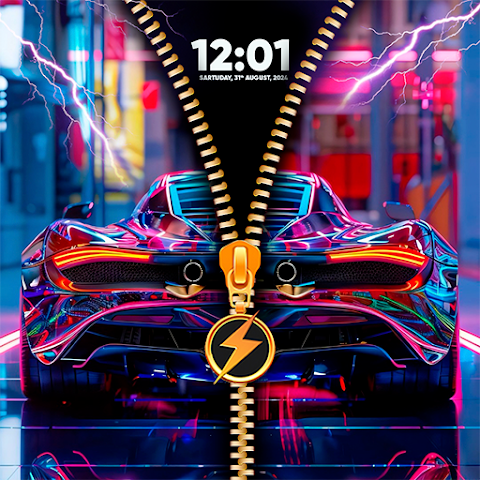
Beyond security, gesture apps let you personalize your lock screen with custom wallpapers, online images from platforms like Unsplash, custom notification displays, unlock animations, and unique sound effects. Your lock screen becomes a reflection of your personal style.
Gesture Lock Screen vs. Traditional Unlock Methods
| Method | Speed | Security | Ease of Use | Customization |
|---|---|---|---|---|
| Gesture Lock Screen | ⭐⭐⭐⭐⭐ | ⭐⭐⭐⭐⭐ | ⭐⭐⭐⭐⭐ | ⭐⭐⭐⭐⭐ |
| PIN Code | ⭐⭐⭐ | ⭐⭐⭐ | ⭐⭐⭐⭐ | ⭐ |
| Pattern Lock | ⭐⭐⭐⭐ | ⭐⭐⭐ | ⭐⭐⭐⭐ | ⭐⭐ |
| Password | ⭐⭐ | ⭐⭐⭐⭐⭐ | ⭐⭐ | ⭐ |
| Fingerprint | ⭐⭐⭐⭐⭐ | ⭐⭐⭐⭐ | ⭐⭐⭐⭐⭐ | ⭐⭐ |
| Face Recognition | ⭐⭐⭐⭐⭐ | ⭐⭐⭐ | ⭐⭐⭐⭐⭐ | ⭐ |
Gesture lock screens uniquely balance security, speed, and personalization. Unlike PIN codes which are easily forgotten and vulnerable to shoulder surfing, gesture systems create unique behavioral patterns impossible to replicate. Compared to face recognition vulnerable to spoofing or fingerprint locks affected by dirt, gesture authentication remains consistently reliable while offering unmatched customization freedom.
Pros and Cons of Using Gesture Lock Screens
Advantages
Memorable & Natural: Drawing a gesture feels more intuitive than remembering complex passwords. Most users recall their custom drawings better than numeric codes.
Fun and Engaging: The unlock experience feels modern and stylish compared to boring PIN entry. It adds a small moment of joy to daily phone interaction.
Strong Privacy in Public: Even if someone watches you unlock your phone in a café or on public transport, they cannot replicate your unique gesture pattern due to its dynamic nature.
Works Offline: Unlike some biometric systems, gesture recognition doesn’t require internet connectivity, making it reliable everywhere.
Budget-Friendly: Most gesture lock apps are completely free to download from Google Play Store with optional premium features.
Compatible Across Devices: Available for most Android smartphones regardless of manufacturer or age, from latest flagship models to older budget devices.
Disadvantages
Screen Moisture Issues: Rain, sweat, or wet hands can interfere with gesture recognition, requiring you to have a backup PIN readily available.
Learning Curve for Complex Gestures: Creating overly complex multi-stroke gestures might take practice to perform consistently and accurately.
Inconsistent Performance Across Devices: Gesture recognition sensitivity varies between phones based on screen technology and processing power.
Less Secure Than Biometrics: While more secure than PINs, gesture authentication is theoretically less secure than fingerprint or face recognition if someone studies your pattern extensively.
Potential Frustration with Failed Attempts: Multiple incorrect gesture attempts can trigger temporary lockouts before you can retry, though most apps include recovery options.
Device Compatibility Limitations: Some older Android devices (below Android 4.3) may not support advanced gesture lock features properly.
How to Set Up a Gesture Lock Screen on Your Mobile Phone
Step-by-Step Installation and Configuration
Step 1: Download the App Visit Google Play Store and search for “Gesture Lock Screen.” Popular options include Gesture Lock Screen by Q Locker (4.0+ stars) and Gesture Guard by Naumcev85. Download and install your preferred app.
Step 2: Grant Necessary Permissions Launch the app and grant required permissions including Device Administrator access, Accessibility API, and camera access (for intruder selfie feature). These permissions are essential for the app to function as your primary lock screen.
Step 3: Create Your Unique Gesture Tap the gesture creation button and draw your chosen symbol on the empty canvas. You can draw single or multiple strokes. Test your gesture 2-3 times to ensure the app learns your pattern accurately. Most apps show a sensitivity slider to adjust how strictly the app matches your future unlock attempts.
Step 4: Set a Backup PIN Enter a 4-8 digit backup PIN that you’ll remember easily but others cannot guess. This recovery password is crucial—store it somewhere safe or write it down if needed. This PIN becomes your lifeline if you ever forget your gesture.
Step 5: Customize Your Lock Screen Choose a wallpaper from your gallery or Unsplash. Set custom notification display preferences, unlock sound, error sound, and animation style. This personalization step makes your lock screen unique to you.
Step 6: Enable Advanced Security Features Turn on the Intruder Selfie feature and set how many wrong attempts trigger a photo capture. Enable invisible gesture mode if you want gesture color to be hidden during drawing. Customize the number of wrong attempts before temporary lockout.
Step 7: Activate as Default Lock Screen Make the gesture app your primary lock screen by going to Settings > Security > Screen Lock and selecting the gesture app as your active lock method. Some devices prompt you to disable other lock methods.
Step 8: Test Your Setup Lock your device and practice unlocking it 5-10 times with your gesture. Ensure you can unlock consistently. Test your backup PIN by attempting an intentionally wrong gesture to verify the fallback works.
Popular Gesture Lock Screen Apps and Their Features
Gesture Lock Screen by Q Locker
This Google Play Store favorite has earned consistent 4.0+ star ratings from hundreds of thousands of users. Q Locker’s version excels at gesture sensitivity customization, allowing you to adjust how forgiving or strict the app is when matching your unlock pattern.
Key Features:
- Invisible gesture colors to hide your drawing from observers
- Multiple single and multi-stroke gesture support
- Custom notification display on lock screen
- Intruder selfie with email alerts
- Time-based password option (current time becomes your password)
- Extensive wallpaper customization
- Recovery password backup system
Gesture Guard: Screen Lock
Developed by Naumcev85, this minimalist option focuses on simplicity without sacrificing features. The interface feels clean and modern, making it excellent for users who prefer straightforward functionality.
Unique Characteristics:
- Minimalist wallpaper collection included
- Personalized photo lock screen ability
- PIN and time-based password alternatives
- Gesture color and pattern customization
- Intruder detection and notification
- Lightweight app size (minimal battery drain)
Magic Unlock App
This air gesture technology variant uses your phone’s proximity sensors to detect hand movements near the screen. While more futuristic, this approach works even with wet hands or dirty screens since it doesn’t require screen contact.
Special Features:
- Air gesture recognition (hand wave over phone)
- Horizontal and vertical hand movement detection
- No screen contact needed
- Weather-resistant and water-friendly
- 4.2/5 star rating on Play Store
Expert Tips for Maximum Security and Usability
Create a Gesture That’s Complex But Memorable
Avoid simple patterns like straight lines or basic shapes that others might guess. Instead, create multi-stroke gestures combining curves, angles, and loops. However, ensure your gesture is something you’ll remember even after weeks of not using your phone.
Example: Draw your initials in connected cursive script rather than block letters. Add a decorative flourish at the end to increase complexity.
Use the Invisible Mode Feature
Enable invisible gesture color so observers cannot see where you’re drawing on the screen. This single feature dramatically improves security in public spaces by eliminating visual cues someone might use to guess your pattern.
Combine with Biometrics for Enterprise Security
If your device supports it, use gesture lock as a secondary measure alongside fingerprint or face recognition. This dual authentication ensures maximum protection for sensitive banking apps or work-related documents.
Store Your Backup PIN Securely
Write your backup PIN somewhere separate from your phone—perhaps in a secure note-taking app encrypted with a master password, or in a physical notebook kept at home. Never store it as a regular phone note or photograph.
Perform Regular Testing of Your Setup
Every two weeks, intentionally trigger your recovery PIN option by drawing an incorrect gesture. This practice ensures you remember your backup code and confirms the fallback system works properly.
Update Your Gesture Quarterly
Security best practices suggest changing your gesture every 3-4 months, similar to password rotation. This practice prevents anyone who may have observed your pattern from accumulating enough visual data to replicate it.
Disable Notifications on Locked Screen If Handling Sensitive Data
If you work with confidential information, hide notification content on your lock screen to prevent sensitive emails or messages from being visible before unlocking.
Monitor the Intruder Selfie Evidence Regularly
Review captured intruder photos weekly. If you notice unauthorized access attempts, investigate immediately and consider strengthening your backup PIN.
Latest Updates and New Gesture Lock Features for 2025
The gesture lock screen ecosystem has evolved significantly, with new innovations improving both security and user experience throughout 2025.
Behavioral Biometrics Integration
Modern gesture apps now incorporate behavioral analysis, studying not just your gesture pattern but also your unique timing, pressure application, and stroke acceleration. This advancement makes gesture authentication nearly impossible to forge, even with video recordings of your unlock method.
AI-Powered Adaptive Recognition
New 2025 updates include machine learning systems that adapt to natural variations in how you draw your gesture. If your handwriting changes due to fatigue, cold weather, or different posture, the app automatically adjusts rather than rejecting valid attempts. This reduces frustration while maintaining security.
Enhanced Intruder Detection
Latest versions use advanced facial recognition and behavioral analysis to distinguish between authorized users who might unlock incorrectly (due to tiredness or environmental factors) and actual intruders. The app sends graduated alerts rather than immediate lockouts.
Multi-Device Synchronization
Premium versions now sync your gesture lock across multiple Android devices. Unlock your phone with one gesture, and your tablet, smartwatch, and laptop use the same authentication pattern through cloud-based security.
Voice Authentication Combination
Emerging apps combine gesture drawing with voice recognition, requiring both your unique drawing pattern and a spoken passphrase for maximum security. This triple-factor authentication suits high-security scenarios.
Haptic Feedback Customization
New devices offer personalized vibration patterns during gesture drawing, providing physical feedback that helps you unlock faster while reducing visual detection risk in public spaces.
Gesture Lock Screen FAQs
Q: Is gesture lock screen security better than fingerprint recognition?
A: Gesture lock screens and fingerprint systems offer different security strengths. Fingerprints are faster and more convenient, but gestures are harder to forge through observation alone. For maximum security, using both together is ideal. Gesture locks excel when you want customization, while fingerprints win on pure speed and reliability.
Q: What happens if I forget my gesture pattern?
A: Every gesture lock app requires you to set a backup PIN during setup. Simply draw an incorrect gesture multiple times, and the app prompts you to enter your recovery PIN instead. This backup PIN becomes your lifeline, so store it securely and remember it well. Most apps also allow resetting through your Google account.
Q: Can someone bypass my gesture lock if they watch me unlock my phone?
A: This is unlikely because gesture authentication analyzes how you draw, not just what you draw. Factors like speed, pressure, stroke angle, and trajectory make replication extremely difficult. Using invisible mode, where your gesture line doesn’t appear during drawing, makes observation-based attacks nearly impossible.
Q: Will gesture lock drain my phone’s battery faster?
A: No, gesture lock apps are highly optimized and use minimal battery. They run only when your screen is off and resume activity when you turn it on. Most users report negligible battery impact, especially compared to fingerprint or face recognition which scan continuously.
Q: Are gesture lock screens compatible with all Android devices?
A: Gesture lock apps work on most Android devices running version 4.3 and higher. However, some heavily modified devices or older budget phones might have compatibility issues. Always check the app’s compatibility list before downloading. Most popular apps support Samsung, Xiaomi, Google Pixel, OnePlus, Motorola, and dozens of other brands.
Q: Can I use multiple different gestures for different apps?
A: Yes! Most gesture lock apps allow you to set different gestures for different apps. You might use your primary gesture to unlock your home screen, a different gesture to access your banking app, and another for your email. This layered approach significantly enhances security for sensitive applications.
Q: Is the intruder selfie feature reliable and ethical?
A: The intruder selfie feature captures photos of people attempting wrong unlock attempts, using your device’s front camera. It’s reliable for documenting access attempts but only triggers after multiple failed attempts, protecting against accidental captures. It’s ethical when you’re protecting against actual theft—using it on someone else’s device without consent would be unethical.
Q: How does gesture lock work during phone calls or while wearing gloves?
A: Most gesture apps recognize when phone calls are active and disable gesture lock temporarily, allowing normal call handling. For glove usage, your app might reject gestures since touch sensitivity changes. Some premium apps offer glove-friendly mode, but this requires explicit enabling. Accessibility API integration ensures calls remain uninterrupted while maintaining security.
Conclusion
Gesture lock screens represent the future of mobile device security, successfully combining powerful protection with genuine personalization and ease of use. Unlike boring PIN codes you’ll likely forget or pattern locks vulnerable to smudge attacks, gesture-based authentication creates unique, behavioral patterns impossible to replicate through observation alone.
In 2025, gesture lock technology has matured significantly, offering intuitive interfaces, advanced security features like intruder detection and behavioral biometrics, and seamless integration with other security methods. Whether you’re someone who wants to add a personal touch to your device or prioritizes maximum security, gesture lock screens deliver on both fronts.
The beauty of gesture authentication lies in its simplicity that masks sophisticated security. You’ll spend just seconds unlocking your phone with your custom gesture while enjoying technology that rivals or exceeds expensive biometric systems. Combined with backup PINs, intruder alerts, and multi-layer security options, gesture lock screens provide serious protection wrapped in a user-friendly package.
Ready to upgrade your phone security? Download a gesture lock screen app today and join millions of Android users enjoying faster, smarter, more personalized device protection. Start with the free options and explore premium features if you need advanced customization. Your phone deserves security that’s both powerful and personally yours.