

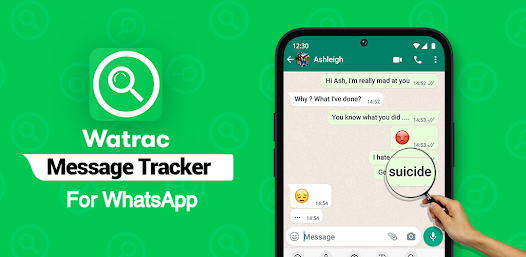
WT Tracker – Web Scanner is a practical mobile application designed to make managing multiple web accounts on a single device straightforward and hassle-free. Instead of constantly logging in and out, this app lets you juggle multiple accounts simultaneously with just a few taps.
If you’re someone juggling work and personal messaging accounts—or you simply want more convenience—this tool simplifies your digital life. Developed by Appens Technologies, the app has garnered millions of downloads on Android and maintains solid ratings across app stores, with users appreciating its clean interface and practical functionality.
Think of it as your personal account manager. Rather than experiencing the frustration of switching between devices or repeatedly entering passwords, WT Tracker streamlines the entire process, making dual or multiple account management feel natural and intuitive.

Key Features & Benefits That Make WT Tracker Special
Multiple Web Account Management (Up to 6 Accounts)
The headline feature is your ability to manage up to six separate accounts simultaneously on one device. Simply scan the QR code from your web browser, and the app links your account instantly. Need to switch between accounts? One tap does it. This feature alone saves professionals, entrepreneurs, and multi-taskers considerable time every single day.
Status Saver for Downloaded Content
Statuses disappear after 24 hours on most messaging platforms, which can be frustrating when you love something. WT Tracker lets you download and save statuses—photos, videos, everything—directly to your device storage. Access them whenever you want, without worrying about losing them to the platform’s time limit.
Restore Deleted Messages
Ever wondered what a deleted message said? WT Tracker scans your device’s notifications and recovers deleted messages that would otherwise be lost forever. This feature has saved many users from missed information and important details.
Direct Chat Without Saving Numbers
Send messages directly to anyone by simply entering their number. You don’t need to clutter your contact list with one-time numbers or temporary connections. Perfect for professionals sending bulk messages or anyone who values contact list simplicity.
Search Profile Function
Looking for someone? Enter their phone number, and the app searches for their profile. If the profile exists, it appears in your results instantly. It’s like having a contact finder built right into your messaging workflow.
Clean, Intuitive Interface
Navigation feels natural here. The app uses a straightforward layout that doesn’t confuse newcomers. Whether you’re tech-savvy or prefer simple tools, you’ll find your way around without frustration.
Light & Dark Theme Options
Your eyes matter. WT Tracker respects that with both light and dark theme options, letting you choose what feels comfortable. Night mode is perfect for late-night messaging, while light mode works best in daylight.
How WT Tracker Compares to Other Web Scanner Apps
When exploring web scanner and dual app solutions, you’ll encounter several contenders. Here’s how WT Tracker stacks up:
| Feature | WT Tracker | Dual App (Web Scanner) | Web Scanner (Standard) |
|---|---|---|---|
| Max Accounts | 6 accounts | 4-5 accounts | 2-3 accounts |
| Status Saver | Yes | Yes | Limited |
| Deleted Message Recovery | Yes | No | No |
| Direct Chat | Yes | Yes | Basic |
| QR Code Linking | Yes | Yes | Yes |
| Theme Options | Light/Dark | Dark only | Light only |
| Device Support | Android 4.1+ | Android 5.0+ | Android 6.0+ |
| File Size | 29 MB | 45 MB | 38 MB |
WT Tracker distinguishes itself through its deleted message recovery capability—something competitors rarely offer. While other apps focus purely on account cloning, WT Tracker adds genuine utility through message restoration and direct messaging features.
Pros & Cons: Honest Assessment
The Strengths
Lightweight Installation: At just 29 MB, WT Tracker won’t hog your device storage like heavier alternatives do.
Privacy-First Design: The developers explicitly state they never collect your contacts or personal data to external servers. They use probabilistic algorithms for profile information, prioritizing your privacy.
Excellent Performance: Users consistently report fast login times and smooth account switching compared to competitor apps.
No Constant Ads: Unlike many free apps that bombard you with advertisements, WT Tracker keeps things relatively clean.
Easy Setup Process: QR code scanning makes linking accounts quick. Most users complete setup in under two minutes.
Regular Updates: The app receives consistent updates with bug fixes and performance improvements, showing ongoing developer commitment.
The Limitations
Entertainment Purpose Only: WT Tracker includes a disclaimer that certain features are designed for entertainment rather than precise tracking.
Profile Visibility Varies: The profile finder works with probabilistic algorithms, so results aren’t always 100% accurate. Inactive accounts may not appear.
Limited Business Features: If you need advanced team collaboration tools, this app focuses more on individual account management.
Android Primary: While iOS versions exist, the Android version receives more frequent updates and features.
Storage Dependency: Saved statuses consume your device storage, which matters on phones with limited space.
User Tips & Latest Updates for 2025
Latest Version Updates (5.0.4 & Beyond)
The current version brings web screen mobile compatibility, ensuring the app works smoothly whether you’re using a smartphone, tablet, or accessing through a browser. Recent updates fixed minor bugs and optimized performance across different Android versions, particularly for devices running Android 4.1 (Jelly Bean) through the latest versions.
Pro Tips for Better Experience
Start with just two accounts if you’re new to the app. This helps you understand the switching workflow before managing six accounts simultaneously.
Enable the light theme during daytime and dark theme at night. This simple habit prevents eye strain during extended messaging sessions.
Regularly clear your saved statuses. While they don’t expire like platform statuses, they consume device storage. Archive favorites monthly.
Use the direct chat feature for business contacts. Instead of cluttering your permanent contacts, send messages directly through the app.
Always update to the latest version. New updates consistently include security patches and performance improvements.
Back up important conversations through screenshots before they’re deleted. WT Tracker recovers messages from notifications, but screenshots create a permanent backup.
Frequently Asked Questions About WT Tracker
Q: Is WT Tracker safe to use?
A: Yes. The app operates as a legitimate communication tool. The developers confirm they don’t collect personal data beyond what’s necessary for app function. However, remember that using multiple accounts simultaneously violates some platform terms of service, so proceed according to your platform’s policies.
Q: Can I use WT Tracker on my iPhone or iPad?
A: Absolutely. iOS versions exist and work similarly to the Android version, with QR code linking and multiple account support. However, the Android version typically receives updates first.
Q: How many accounts can I actually manage at once?
A: You can link up to six accounts on a single device. In practice, most users find three to four accounts comfortable to manage without confusion.
Q: Will using WT Tracker get my main account banned?
A: WT Tracker operates through official web linking methods using QR codes, which platforms support. However, some platforms may restrict simultaneous multi-account usage under their terms. Check your specific platform’s policies before using multiple accounts.
Q: Does WT Tracker work offline?
A: No, the app requires active internet connection. You can prepare messages offline, but sending requires connectivity.
Q: Why isn’t the profile search finding certain people?
A: The search uses probabilistic algorithms, not exact matching. Inactive accounts, private profiles, or recently created accounts may not appear in results.
Q: How do I restore a deleted message?
A: Open the “Restore Deleted Message” feature, and the app scans your device notifications. Any messages deleted before you could read them will be recovered and displayed.
Conclusion
WT Tracker – Web Scanner fills a genuine need for people managing multiple messaging accounts. Whether you’re balancing work and personal communication, need bulk messaging capabilities, or simply value the convenience of having everything accessible from one device, this app delivers practical solutions.
The combination of account management, status saving, message recovery, and direct messaging creates a well-rounded tool that stands apart from basic dual app cloners. Regular updates, privacy-focused design, and lightweight installation make it an accessible choice for millions of users globally.
If you’re ready to simplify your messaging workflow and take control of multiple accounts, download WT Tracker from your device’s app store today. Start with version 5.0.4 or higher to ensure you get all the latest performance improvements and mobile-optimized features.














