
Is your TikTok account frozen or shadowbanned? You’re not alone. Over 10% of TikTok users experience this frustrating situation every month. One day, your videos are getting views and engagement. The next day? Nothing. Your posts disappear from the For You page, engagement drops to zero, and you can’t figure out what happened. The worst part? TikTok doesn’t send a notification explaining why.
But here’s the good news: a frozen account is usually recoverable. With the right approach, most users regain full access within days. Let me walk you through exactly how to fix this.
What Does It Mean When Your TikTok Account is Frozen?
A frozen TikTok account isn’t the same as being permanently banned. When your account is frozen, it remains active, but TikTok quietly restricts how many people can see your content.
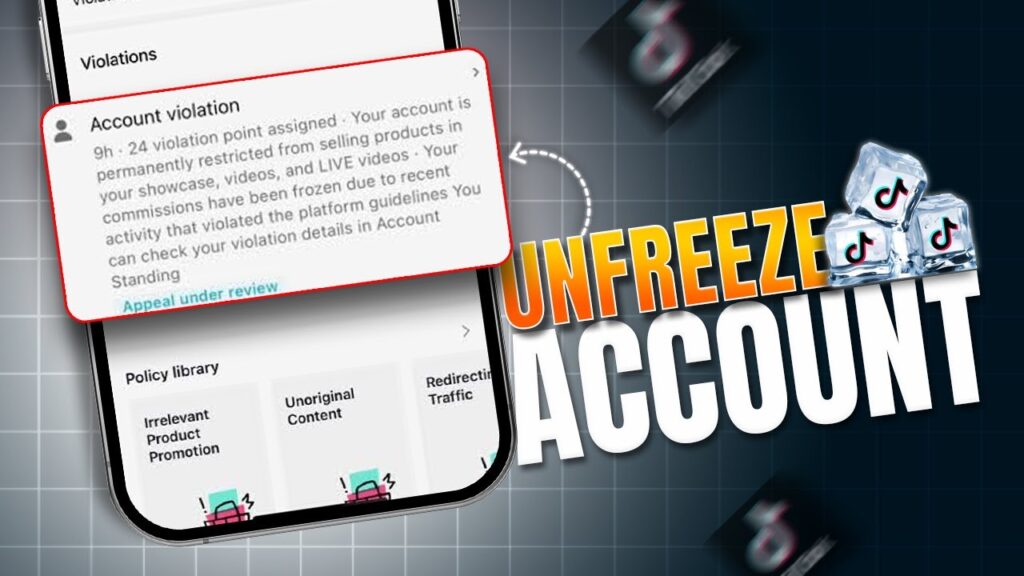
Think of it this way: you’re still in the app, but you’re invisible to most viewers. Your videos won’t appear on the For You page. New users can’t find you through hashtags or search. Even your followers might not see your latest posts. The platform is essentially “muting” your account while it reviews your activity.
The Freeze vs. Shadowban vs. Ban: What’s the Difference?
These terms get tossed around a lot, but they’re actually different situations:
Account Freeze: Your account loses visibility and reach, but you can still post and access the app. No official warning appears. TikTok quietly limits your content distribution without explaining why. Duration typically ranges from 3 to 7 days, though it can extend longer if the underlying issue isn’t addressed.
Shadowban: Similar to a freeze, but usually refers to specific content rather than your entire account being restricted. Your videos don’t appear in hashtag searches or search results. Engagement drops dramatically because the algorithm stops showing your content to new users. Most shadowbans last around two weeks.
Permanent Ban: This is the serious one. Your account gets suspended or deleted. You receive a clear notification. You can’t log in. Your profile vanishes from search. This is TikTok’s final warning and usually only happens after repeated violations or severe policy breaches.
Understanding which situation you’re facing is the first step toward recovery.
Why Does TikTok Freeze Accounts? 7 Common Causes
Account freezes don’t happen randomly. TikTok’s algorithm is constantly monitoring your activity. Here are the most common triggers:
1. Violating Community Guidelines
This is the #1 reason accounts get frozen. TikTok has strict rules about what you can post. Content involving nudity, sexual material, violence, hate speech, or illegal activities gets flagged immediately. Even borderline content that seems harmless to you might trigger the system.
The platform uses AI to detect these violations automatically, so you don’t even need to get reported by other users. The algorithm catches most violations within hours of posting.
2. Using Banned or Restricted Hashtags
Hashtags are powerful, but some are blacklisted. If a hashtag has been used repeatedly for spam, misinformation, or policy violations, TikTok bans it. Using banned hashtags signals to the algorithm that your content might be risky.
The problem? Banned hashtags change constantly. A hashtag that was fine last month might be restricted now. Some creators accidentally use banned hashtags without realizing it and trigger a freeze.
3. Suspicious Activity (Bots, Automation, Fake Engagement)
TikTok’s algorithms can detect when you’re using bots or third-party apps to boost followers, likes, or comments. Any time the platform detects unnatural growth patterns—like gaining 500 followers in an hour or getting 10,000 likes on a video in 10 minutes—it flags your account.
Bulk following, mass unfollowing, and mass commenting also trigger red flags. Even if you hire someone to manage your account, unnatural engagement patterns will get you frozen.
4. Posting Too Frequently
While consistency is good, there’s such a thing as posting too much. Uploading 15-20 videos per day looks like spam behavior to TikTok’s algorithm. The platform prefers steady, sustainable posting habits (usually 3-7 videos per week for best results).
Excessive posting especially hurts new accounts, which already have less algorithmic trust.
5. Copyright Violations
Using copyrighted music, videos, or audio without permission is a quick way to get frozen. TikTok has licensing agreements with major music labels, but not all music is available for creators. Using unlicensed copyrighted material triggers automatic restrictions.
Pro tip: Always use audio from TikTok’s licensed music library. It’s built into the app and 100% safe.
6. Engaging in Spammy Behavior
Spammy behavior includes aggressive commenting, repeatedly posting the same content, or using clickbait captions. When you comment the same message on dozens of videos, TikTok’s moderation system notices.
Sharing your TikTok videos constantly on other platforms can also backfire. The algorithm might interpret this as spam or artificial traffic boosting.
7. Repeated Community Guideline Strikes
Even if individual violations seem minor, they add up. TikTok’s system tracks your violation history. Your first strike might just be a warning. Your second? Maybe a temporary restriction. Your third? Potential account freeze.
If you keep pushing boundaries, the algorithm will eventually freeze your account to protect other users.
How to Spot a Frozen TikTok Account: Warning Signs
Don’t wait around wondering. Here’s how to know for sure if your account is frozen:
Major Drop in Video Views: Your recent videos suddenly get almost no views, even though older videos performed well. The decline happens overnight with no explanation.
Hashtags Stop Working: Videos that used to appear under hashtags now disappear. You’re still posting the same content with relevant hashtags, but they’re not showing up in search results.
Content Doesn’t Appear on For You Page: Your videos used to get FYP traffic. Now, the only views come from your profile or follower feeds. New audiences can’t discover your content.
Engagement Plummets: Likes, comments, and shares drop dramatically. A video that would normally get 1,000 likes now gets 10.
New Followers Disappear: You’re still posting, but you’re not gaining new followers. The account stays stagnant or loses followers.
Videos Show “Under Review” Status: When you upload, videos sometimes get stuck in “processing” or “under review” and never go live.
Quick Test to Confirm a Freeze
Use another account (friend’s account, or a second account if you have one) to search for your videos by hashtag or username. If your content doesn’t appear, you’re likely frozen or shadowbanned.
How to Unfreeze Your TikTok Account: Step-by-Step Solutions
Ready to fix this? Here are proven methods that work:
Method 1: Clear Your Cache and Reinstall the App (Fixes Minor Glitches)
Sometimes what looks like a freeze is just a technical glitch. This solution only takes 5 minutes:
For iPhone: Open Settings → Find TikTok → Tap “Offload App” → Reinstall from App Store → Log back in and try posting.
For Android: Open Settings → Apps → TikTok → Storage → Clear Cache (don’t clear data unless necessary) → Uninstall TikTok → Reinstall from Google Play → Log back in.
After reinstalling, wait a few hours before posting. Sometimes the system just needs a fresh start.
Method 2: Take a Strategic Break and Clean Up
If clearing cache doesn’t work, your account likely needs intervention. Here’s what to do:
Step 1: Delete or Private Problematic Content Review your recent videos. Which ones might have violated guidelines? Videos with banned hashtags, questionable content, or copyright music? Delete them or make them private. Don’t just delete—making videos private is safer because TikTok respects that you’re not removing evidence.
Step 2: Pause Posting for 2-3 Days Stop uploading new content. Seriously. Your frozen account is already under scrutiny. Adding more content during a freeze can extend the problem. Use this break to plan better content.
Step 3: Engage Authentically While paused, interact with other creators’ videos. Like, comment, and share content from accounts in your niche. This signals to TikTok that you’re a real user, not a bot. Make your comments genuine and thoughtful—not spammy.
Step 4: Analyze Your Hashtags Review the hashtags you’ve been using. Are any of them outdated or suspicious? Use tools like Banned Hashtag Checker or search trending hashtags in your niche to confirm they’re active and safe.
Method 3: Appeal Through TikTok Support (Most Effective)
This is your best chance at fast recovery. Here’s how:
Step 1: Open the TikTok App Tap the three-line menu at the bottom right of your screen.
Step 2: Go to Help & Support Find “Help & Support” option (exact names vary slightly, but it’s usually near settings).
Step 3: Select “Report a Problem” Choose this option to file a complaint about your account status.
Step 4: Choose “Account & Profile” This opens account-specific issues.
Step 5: Select “Other Account Issues” Choose this if “Freezing” isn’t a direct option.
Step 6: Write a Detailed Explanation This is crucial. Don’t just say “My account is frozen.” Explain:
- When you first noticed the freeze
- What might have caused it (if you know)
- That you’ve removed problematic content
- That you’ll follow guidelines going forward
Example: “My account experienced a freeze on [date]. I believe it may have been due to using [specific content]. I’ve since removed that content and reviewed TikTok’s guidelines. I’m committed to creating safe, original content moving forward. Please review my account.”
Be honest and respectful. TikTok support is more likely to help users who take accountability.
Step 7: Submit and Wait TikTok support takes 3-7 days to respond. You’ll receive an email explaining their decision or confirmation that your appeal was approved.
Method 4: Wait It Out (Patience Method)
Here’s a truth nobody likes hearing: most account freezes expire naturally after 3-7 days. If you don’t appeal and just wait, engagement usually returns on its own.
But waiting is risky because:
- The freeze might extend if you keep posting
- You lose engagement momentum
- You miss the chance to appeal
Better to be proactive with Method 3 while also following Method 2.
Advanced Recovery Strategies: Speed Up the Process
If standard methods aren’t working, try these:
Use Only One Device for a While Stop logging in from multiple phones, tablets, or computers. TikTok flags accounts that show suspicious multi-device access patterns. Stick to one device for 2-3 weeks.
Don’t Use VPN VPNs actually make things worse during a freeze. They mask your location and make your account look more suspicious. Log in from your normal location without a VPN.
Post Fresh, Original Content When you resume posting (after your 2-3 day break), post completely original content. Don’t reuse trending formats. Don’t copy other creators. Create something unique that shows you’re a real person, not automation.
Quality > quantity. One well-made 60-second video is better than three mediocre ones.
Engage Genuinely for a Week Spend 20-30 minutes daily liking, commenting, and responding to other creators’ content. This behavior pattern signals that you’re an authentic user. After 7 days of genuine engagement, try posting again.
Key Features & Benefits: Understanding Account Recovery
Recovery isn’t just about getting your account unfrozen. It’s about building a stronger, more resilient presence:
Restored Visibility: Your videos reappear on the For You page. New users discover your content.
Renewed Engagement: Likes, comments, and shares return to normal levels or better.
Full Feature Access: Live streaming, duets, and stitches work properly again.
Follower Growth: You can gain new followers at a healthy, natural pace.
Algorithm Trust: The system learns you’re compliant and trustworthy, making future freezes less likely.
Comparison: Freezes vs. Other Account Restrictions
Understanding the differences helps you respond correctly:
| Issue | Freeze | Shadowban | Permanent Ban |
|---|---|---|---|
| Visibility | Content hidden from FYP | Videos don’t appear in hashtags | No access to account |
| Notification | None | None | Clear message |
| Account Status | Active | Active | Suspended/Deleted |
| Duration | 3-7 days | 2 weeks | Permanent |
| Recovery | Yes (usually) | Yes (usually) | No (rarely reversed) |
| How to Fix | Appeal or wait | Delete bad content, wait | Can’t be fixed |
| Root Cause | Suspicious activity | Minor violations | Severe violations |
Knowing which one you have determines your strategy.
Pro Tips to Prevent Future Freezes
Once you’re unfrozen, don’t go back. Follow these best practices:
Follow Community Guidelines Strictly Review TikTok’s official community guidelines document. Know what’s prohibited. When in doubt, don’t post it.
Post Consistently (But Not Excessively) Aim for 3-5 videos per week. This shows the algorithm you’re active without looking spammy.
Use Only TikTok’s Licensed Music Avoid uploading music from your device or other sources. Always use TikTok’s built-in music library.
Keep Hashtags Fresh and Safe Use 3-5 relevant hashtags per video. Research them first. Avoid trending hashtags tied to controversy or spam.
Avoid Third-Party Tools Apps that promise followers, likes, or views? Avoid them. They’re detection magnets. Stick to TikTok’s native features.
Monitor Your Analytics Watch your engagement trends weekly. Sudden drops signal problems before they become serious freezes.
Don’t Manage Multiple Accounts Carelessly If you run several accounts, don’t switch between them constantly on the same device. Use separate browsers or devices if possible.
Frequently Asked Questions
Q: How long does a TikTok account freeze last? A: Most freezes last 3-7 days on their own. With an appeal, you can often get unfrozen within 2-4 days. Some severe cases take longer, occasionally up to a month.
Q: Will deleting the TikTok app unfreeze my account? A: No. Deleting and reinstalling only helps if the freeze is caused by a glitch. If your account was frozen due to policy violations, reinstalling won’t help unless you also address the underlying issue.
Q: Can I appeal a freeze more than once? A: Yes. If your first appeal is denied, wait 5-7 days and appeal again. Your second appeal should include stronger details about what you’ve changed.
Q: Does using a VPN help unfreeze an account? A: Actually, no. VPNs can make things worse because they make your account look more suspicious. Use your normal internet connection while frozen.
Q: What’s the difference between a frozen account and a shadowban? A: A frozen account loses visibility entirely. A shadowban usually affects specific content rather than the whole account. Both are caused by policy violations, but shadowbans are often more subtle.
Q: Can TikTok permanently ban my account without warning? A: Yes, but only for severe violations. Repeated freezes, serious guideline breaches (like hate speech), or circumventing restrictions can lead to permanent bans.
Q: How do I know if I’m shadowbanned? A: Your videos don’t appear in hashtag searches or the For You page, but they’re still on your profile. You can confirm by checking from another account.
Q: Should I create a new account if mine stays frozen? A: Only as a last resort if your first account has been frozen for over a month with no recovery. Starting fresh isn’t ideal, but sometimes it’s necessary.
Q: Is there a tool to unfreeze my account instantly? A: Be cautious of “unfreeze” tools online. While some claim to help, many are scams. Your best bet is TikTok’s official support appeal.
Q: What should I do if TikTok support doesn’t respond? A: Try submitting another appeal after 7 days. You can also try reaching out through TikTok’s official social media accounts (Twitter, Instagram) with your case.
Conclusion: You Can Fix This
A frozen TikTok account feels like the end of the world—especially if you rely on the platform for income or community. But it’s not permanent. With the right approach, your account will be back to normal within days.
Here’s your action plan:
Today: Clear your cache and reinstall the app.
Tomorrow: Review your content and delete anything questionable.
This week: File an appeal through TikTok support with a detailed explanation.
While waiting: Take a 2-3 day posting break, clean up hashtags, and engage genuinely with other creators.
Going forward: Follow community guidelines strictly, post consistently, use TikTok’s music library, and monitor your analytics.
Most importantly, don’t panic. Freezes are temporary. Thousands of creators recover from them every week. You will too.
The TikTok algorithm is fair but strict. Respect its rules, and your account will thrive. You’ve got this—now go create some great content.
Have you dealt with a frozen TikTok account? Share your recovery experience in the comments below. Let’s help other creators get back on track.