Worried about your monthly electricity bill? No need to stress anymore. Gone are the days when you had to rush to the nearest billing office or wait anxiously for a printed bill to arrive at your doorstep. In 2026, checking your electricity bill online has become incredibly simple and fast—taking just seconds from your mobile or computer.
Whether you’re in Multan (MEPCO), Lahore (LESCO), Faisalabad (FESCO), Peshawar (PESCO), or any other city across Pakistan, this complete guide will show you exactly how to check your WAPDA bijli bill, download duplicate copies, understand bill charges, and manage your electricity costs effectively.
What Is Checking Your Electricity Bill Online?
Checking your electricity bill online is a free, convenient service provided by all WAPDA distribution companies (DISCOs) that allows you to view your monthly electricity charges without waiting for a physical bill. This system works through your 14-digit reference number or 10-digit customer ID.
Why Check Bills Online?
- Instant Access: View your bill within seconds
- No Paper Waste: Eco-friendly and convenient
- Duplicate Bills: Never worry about lost bills again
- Payment Tracking: Check 12-month payment history
- 24/7 Availability: Access anytime, anywhere with internet
- Avoid Late Charges: Know your due date immediately
- Download & Print: Save digital or printed copies as needed
The entire process is secure, fast, and powered by Pakistan’s official electricity billing system managed by PITC (Pakistan Information Technology Company).
How to Check Electricity Bill Online in 5 Easy Steps
Step-by-Step Method for All DISCOs
Step 1: Visit Your Regional DISCO Website
Go to the official billing website for your region:
- MEPCO: mepcobill.pk
- LESCO: lescoebil.pk
- FESCO: fscobill.pk
- PESCO: pescobill.pk
- IESCO: iescobill.pk
- GEPCO: gepcobillonline.pk
- HESCO: hescobill.pk
- SEPCO: sepcobill.pk
- QESCO: qescobill.pk
- TESCO: tescobill.pk
Step 2: Find Your Reference Number
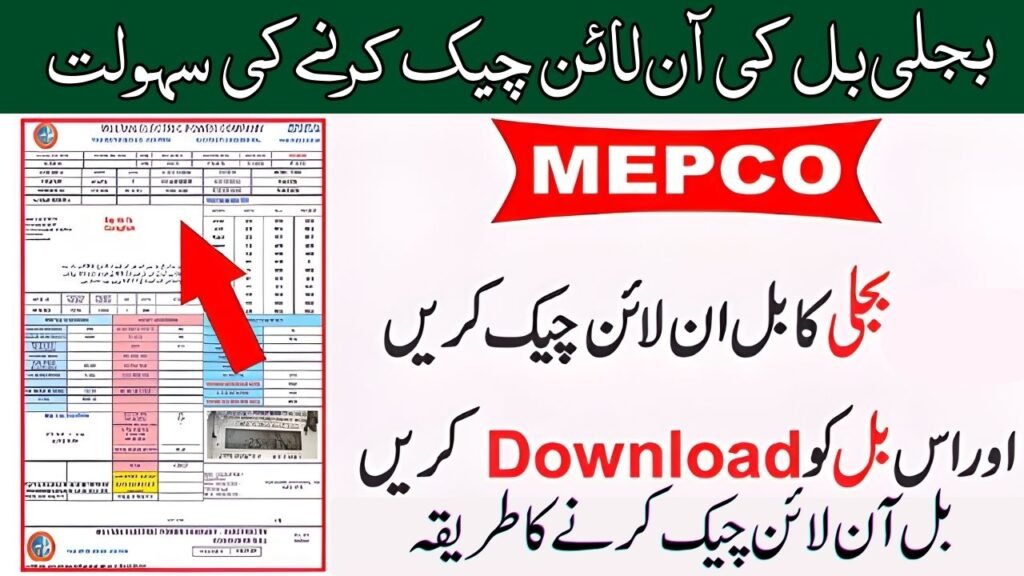
Your 14-digit reference number is printed on any previous bill. Look for a red-highlighted box showing your unique reference number (e.g., 12-3456-7890-123). Alternatively, use your 10-digit Customer ID if you can’t find the reference number.
Step 3: Enter Your Bill Information
Once on the website, locate the input field and enter either:
- 14-digit reference number, OR
- 10-digit customer ID
Don’t worry if you don’t have your reference number—most DISCO websites accept customer ID as well.
Step 4: Click Submit
Press the “Check Bill” or “Submit” button. The system will instantly fetch your bill from the official PITC database, ensuring accuracy and real-time information.
Step 5: View, Download & Print
Your complete bill details will appear instantly, including:
- Bill amount and due date
- Units consumed
- All taxes and surcharges
- Meter reading details
- Payment history (last 12 months)
You can now download as PDF, take screenshots, or print directly for payment.
All WAPDA DISCOs – Electricity Bill Check Online Websites
Here’s a quick reference table for checking bills across all major distribution companies:
| DISCO Name | Region Covered | Official Website | Reference No. Required |
|---|---|---|---|
| MEPCO | Multan, South Punjab | mepcobill.pk | 14-digit or 10-digit ID |
| LESCO | Lahore, Central Punjab | lescoebil.pk | 14-digit or 10-digit ID |
| FESCO | Faisalabad, 8 Districts | fscobill.pk | 14-digit or 10-digit ID |
| PESCO | Peshawar, KPK, Hazara | pescobill.pk | 14-digit or 10-digit ID |
| IESCO | Islamabad, Rawalpindi | iescobill.pk | 14-digit or 10-digit ID |
| GEPCO | Gujranwala, Sialkot | gepcobillonline.pk | 14-digit or 10-digit ID |
| HESCO | Hyderabad, Sindh | hescobill.pk | 14-digit or 10-digit ID |
| SEPCO | Sukkur, South Sindh | sepcobill.pk | 14-digit or 10-digit ID |
| QESCO | Quetta, Balochistan | qescobill.pk | 14-digit or 10-digit ID |
| TESCO | Tribal Areas | tescobill.pk | 14-digit or 10-digit ID |
| K-Electric | Karachi | ke.com.pk | Reference number |
Understanding Your Electricity Bill – Key Components Explained
Once you check your bill online, you’ll see various charges. Let’s break down what each means:
Basic Charges Section
Units Consumed (kWh): The amount of electricity you used during the billing period, measured in kilowatt-hours.
Cost of Electricity: The basic rate per unit multiplied by your total consumption. This is the primary charge on your bill.
Meter Rent: A fixed monthly fee of PKR 1,000 applied by WAPDA to all consumers, regardless of consumption.
Government & Regulatory Charges
Fuel Price Adjustment (FPA): When fuel prices fluctuate, the government adds this to compensate power companies. Applied every two months, so you see it in alternate bills.
Tariff Rationalization Surcharge (TR): The difference between NEPRA-approved tariff and the actual tariff required by distribution companies. If negative, you may see an “Inter-DISCO Tariff Rationalization Surcharge (IDTR).”
Quarterly Tariff Adjustment (QTA): Applied every three months to adjust for fuel price fluctuations, currency exchange rates, and transmission costs.
Electricity Duty: Applied at 1.5% to 2% of total units consumed for domestic consumers.
General Sales Tax (GST): Standard 17% tax applied to the billing amount (for most consumers).
Income Tax: For consumers using 1,000+ units monthly (commercial or heavy domestic users), income tax is applied.
TV Fee: Fixed monthly charge of PKR 35 per TV set (PKR 60 for commercial connections).
Special Surcharges
Financing Cost (FC): Currently around 43 paisa per unit to recover debt servicing of power supply infrastructure.
Deferred Amount: Outstanding balance from previous months that can be paid later without late charges.
Why Is Your Electricity Bill Increasing? Common Reasons in 2026
Understanding why your bill increased helps you take corrective action. Here are the main reasons:
Seasonal Increase
During summer months (May-August), electricity consumption jumps due to air conditioning. Winter (December-February) brings electric heating, water heating, and heaters. Plan your budget accordingly.
Additional Taxes & Surcharges
Frequent FPA adjustments, new tariff structures, and government taxes are added to bills throughout the year. These aren’t directly caused by increased usage but affect your total bill.
Higher Unit Rates
NEPRA (National Electric Power Regulatory Authority) periodically adjusts electricity rates. A rise in tariff automatically increases your bill even if consumption remains the same.
Meter Reading Issues
Faulty meter readings or accumulated arrears from previous months appear on your bill. Check your bill history to spot unusual spikes.
Appliance Overuse
Air conditioners, water heaters, washing machines, and refrigerators consume the most electricity. Using these during peak hours (9 AM – 9 PM) costs 30-40% more.
How to Check Your Bill Using Mobile Apps
Don’t have internet access? Download these official apps for easier bill checking:
DISCO-Specific Apps
LESCO Bill App
- Download from Google Play Store or Apple App Store
- Register with customer ID
- Navigate to “Bill Inquiry” section
- Enter reference number to view bill
IESCO Mobile App
- User-friendly interface
- Register with account details
- Access “Bill Check” feature
- View and download bills instantly
MEPCO Mobile App
- Download and install from app store
- Register with customer ID or reference number
- Access “Bill Inquiry” section
- Download duplicate bills anytime
PESCO Mobile App
- Dedicated app for Peshawar region
- Quick bill checking feature
- Payment options integrated
Third-Party All-in-One Apps
Several third-party electricity bill checker apps support all DISCOs:
- Electricity Bill Checker App – Covers MEPCO, LESCO, FESCO, GEPCO, HESCO, SEPCO, QESCO, IESCO, PESCO
- WAPDA Bill Checker Online – All DISCOs with loading shedding schedule
- Electricity Bill Viewer – Auto-save reference numbers, offline access, bill history
These apps fetch data from official PITC servers, so information is accurate and up-to-date.
How to Check Your Bill Via SMS
Lost your online access? Use SMS to check your bill instantly.
For MEPCO:
- Type:
PITC [space] 14-digit reference number - Send to: 8334
- Receive bill information via SMS instantly
For Other DISCOs:
- Each DISCO has a dedicated SMS helpline
- Type your reference number and send to the provided number
- You’ll receive bill details within seconds
This method works without internet and is perfect for quick bill checks.
How to Pay Your Electricity Bill Online – Multiple Methods
Once you check your bill, paying it online is equally simple. Here are all available payment methods:
Direct Payment Through DISCO Websites
Most DISCO websites have integrated payment gateways:
- Check your bill online
- Click “Pay Bill” or “Online Payment” button
- Select payment method (credit/debit card, e-wallet, etc.)
- Complete the transaction
- Receive digital receipt immediately
Bank Online Payment
HBL, Allied Bank, UBL, MCB, ABL, NAB, etc.
- Log in to your bank’s mobile app or website
- Navigate to “Bill Payment” or “Utility Payments”
- Select your DISCO (LESCO, MEPCO, FESCO, etc.)
- Enter reference number and amount
- Pay directly from your account
Credit Card Payment
- Use credit/debit card through DISCO website
- Some banks offer cashback on utility bill payments
- Convenient for short-cash situations
- Can split payment into installments with some cards
E-Wallets & Mobile Payment Apps
- JazzCash: PTCL, electricity, water bills
- Easypaisa: All major utility bills
- Mobi: WAPDA bills with cashback offers
- Discounted payment options: Some apps offer 2-5% discount
Direct Bank & Post Office Payment
Manual Payment Methods (Still Available):
- Visit any bank branch (HBL, UBL, MCB, ABL, etc.)
- Bring your bill and payment amount
- Bank teller stamps and processes
- Receive receipt
Post Office Payment:
- Visit nearest post office
- Bring bill and money
- Post office staff handles payment
- Takes more time than online but reliable
Note: Manual methods are slower and prone to queues. Online payment is recommended for convenience.
Advanced Features – View Payment History & Bill Calculator
Check Your 12-Month Payment History
All DISCO websites show your payment status for the last 12 months:
- Check your bill online (as described above)
- Open “Full Bill” or “Bill Details”
- Scroll to “Payment History” section
- View which bills were paid and unpaid
- See payment dates and amounts
- Identify any outstanding arrears
This helps you track your payment record and plan future payments.
Use Bill Calculator for Estimated Bills
If your bill hasn’t been generated yet, use the official bill calculator:
- Go to your DISCO website
- Find “Bill Calculator” or “Estimated Bill” section
- Enter your current month units consumed (check your meter)
- Tool automatically calculates based on latest tariff rates
- Get an estimated bill amount
- Plan your payment accordingly
This is especially helpful at month-end to avoid surprises.
Register for Email Notifications – Never Miss a Due Date Again
Modern DISCO websites allow you to receive bills directly in your email inbox:
How to Set Up Email Notifications
- Visit your DISCO website
- Go to “Account Settings” or “Notification Preferences”
- Click “Subscribe to Email Notifications”
- Enter your email address
- Select notification types:
- Monthly bill notification
- Payment reminders
- Due date alerts
- Special announcements
- Save settings
- Start receiving bills in your inbox automatically
Enable SMS Notifications
- Log in to your DISCO account/website
- Find “Notifications” or “Settings”
- Enable SMS alerts
- Enter your mobile number
- Select alert types (due date reminders, payment confirmation, etc.)
- Confirm settings
With these notifications, you’ll never miss a payment deadline or be unaware of bill changes.
Expert Tips to Reduce Your Electricity Bill in 2026
Understanding your bill is one thing; reducing it is another. Here are practical ways to cut costs:
Shift Usage to Off-Peak Hours
During peak hours (9 AM – 9 PM), electricity tariff is 30-40% higher. Shift these tasks to off-peak:
- Washing clothes early morning (5-8 AM) or late night (10 PM-6 AM)
- Charge phones during night hours
- Run water heaters before 9 AM
- Avoid using AC/heaters during peak times
Invest in Energy-Efficient Appliances
- Buy inverter air conditioners (40% less consumption)
- Use LED lights instead of incandescent (90% saving)
- Choose 5-star energy-rated refrigerators
- Use solar water heaters (eliminate water heating costs)
- Replace old fans with DC fan motors
Install Solar Net Metering
For long-term savings, net metering with solar panels is the best solution:
- Install 3-5 kW solar system (PKR 150,000-300,000)
- Excess power generated feeds back to grid
- Pay only for net consumption
- Save 50-80% on bills within 4-5 years
- Government incentives and tax breaks available
Simple Daily Habits
- Unplug appliances when not in use (standby consumption is real)
- Use ceiling fans instead of AC whenever possible
- Close unnecessary room lights
- Keep AC temperature at 24-25°C (higher = lower bill)
- Regular maintenance of air conditioning units
Monitor Your Consumption
Check your meter reading weekly:
- Compare with previous months
- Identify consumption spikes
- Investigate unusual increases
- Report meter issues to DISCO
Frequently Asked Questions (FAQ)
Q1: Can I check my electricity bill using my CNIC or Name?
A: No, you cannot check your bill using CNIC or name. WAPDA and all DISCOs require either:
- 14-digit reference number (preferred)
- 10-digit customer/consumer ID (alternative)
These numbers are unique to your meter connection and printed on every bill. If you don’t have your bill, contact your nearest DISCO office or call the helpline (118).
Q2: My bill hasn’t been generated yet. What should I do?
A: If you can’t check your bill online, it likely hasn’t been generated yet. Most DISCOs generate bills between 20-28 of each month. However, you can:
- Use the Bill Calculator on DISCO website
- Enter units shown on your meter
- Get estimated bill amount
- Plan your payment in advance
Bills are usually uploaded by 25th of each month at the latest.
Q3: I lost my reference number. How do I find it?
A: Reference numbers are printed on all bills. If you don’t have a physical bill:
- Call DISCO Helpline: Dial 118 (works for all DISCOs nationwide)
- Visit DISCO Office: Bring your CNIC to local office, staff will provide your details
- Check Email: If registered, your bill may be in email archives
- SMS Method: Contact your DISCO via SMS helpline for reference number
Q4: Why am I seeing charges I don’t recognize in my bill?
A: Common unrecognized charges include:
- FPA (Fuel Price Adjustment): Government-mandated charge for fuel cost fluctuations
- QTA (Quarterly Tariff Adjustment): Applied every 3 months for cost adjustments
- TR/IDTR: Tariff difference between NEPRA and actual utility costs
- Previous Arrears: Unpaid balances from previous months appearing in current bill
Check the “Charges Breakdown” section of your bill online, which explains each component.
Q5: Can I request duplicate bills for previous months?
A: Yes, absolutely. All DISCO websites allow you to:
- Check bills for the last 24 months
- View payment status for each month
- Download duplicate bills in PDF format
- Print or email to yourself
- Use for payment records or tax purposes
No fee is charged for duplicate bills. This is especially useful if your original bill is lost or damaged.
Q6: What’s the national helpline for electricity complaints?
A: The unified national helpline is 118. This works for:
- All DISCOs nationwide (MEPCO, LESCO, FESCO, PESCO, IESCO, etc.)
- Power outage complaints
- Meter issues
- Billing disputes
- New connection applications
- Urgent issues
Call 118 from any phone for immediate assistance.
Q7: Is it safe to pay bills online? Will my bank details be secure?
A: Yes, DISCO websites and banks use industry-standard SSL encryption:
- Your data is encrypted end-to-end
- Only use official DISCO websites (not third-party sites)
- Never share OTP or passwords with anyone
- Monitor your bank account after payment
- Use banking apps with two-factor authentication
- Banks and DISCOs comply with PTA security standards
Online payment is generally safer than carrying cash to offices.
Q8: Why does my electricity bill vary so much month-to-month?
A: Bill fluctuations are normal due to:
- Seasonal Usage: Higher in summer (AC) and winter (heaters)
- Tariff Changes: NEPRA adjusts rates periodically
- FPA & QTA: Government charges added in certain months
- Meter Reading Issues: Manual readings can vary slightly
- Appliance Changes: New devices increase consumption
- Weather: Hot summers drive AC usage; mild winters reduce heating
Track usage for 3-4 months to identify patterns.
Conclusion
Checking your electricity bill online in 2026 has become as simple as opening an app. Whether you use the official DISCO websites, mobile apps, SMS method, or email notifications, you now have complete control over your electricity costs.
Key Takeaways: ✅ Check your bill in seconds using your 14-digit reference number ✅ Download duplicate bills anytime, anywhere without fees ✅ Track payment history and plan ahead ✅ Use bill calculator for advance budgeting ✅ Pay online through banks, e-wallets, or credit cards ✅ Reduce bills by 30-50% using energy-saving tips ✅ Consider solar net metering for long-term savings ✅ Call 118 for any complaints or issues
Stop worrying about lost bills, missed payment dates, or surprise charges. Start checking your MEPCO, LESCO, FESCO, PESCO, IESCO, GEPCO, HESCO, SEPCO, QESCO, or TESCO electricity bill online today.
Ready to take control of your bills? 👉 Visit your DISCO website now and check your bill in 30 seconds using your reference number