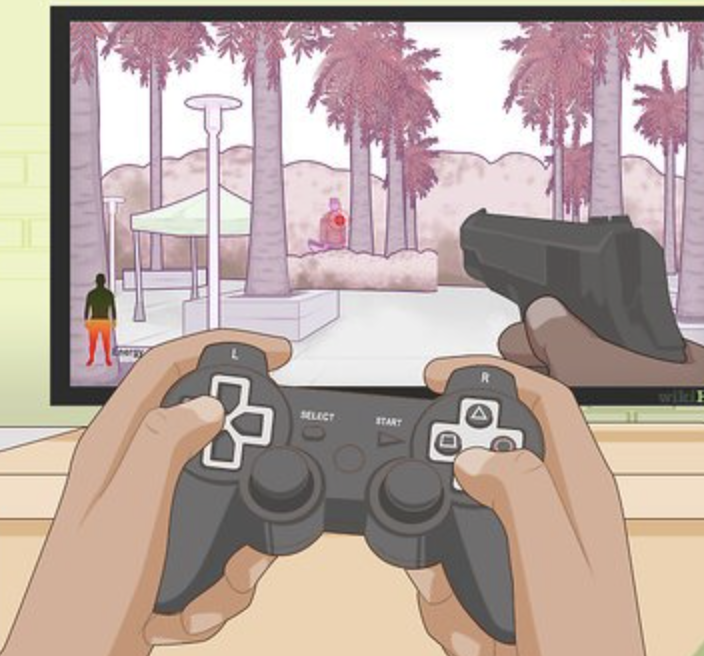

Video games are more popular than ever among children and teenagers. From mobile games to console adventures, young players spend hours exploring virtual worlds, competing with friends, and building new skills. While gaming can be a genuinely rewarding experience, it also comes with risks that every parent, guardian, and young gamer should understand.
This article covers everything you need to know about keeping young players safe while they game. Whether you are a parent looking to set healthy boundaries or a teen wanting to make smarter choices online, you will find practical, straightforward advice here that actually works in real life.
What Are Gaming Safety Tips for Young Players?
Gaming safety tips are a set of guidelines and practices designed to help children and teenagers enjoy video games responsibly. These tips cover a range of areas including online privacy, managing screen time, avoiding cyberbullying, understanding in-game purchases, and maintaining physical and mental well-being.
Unlike general internet safety advice, gaming safety focuses specifically on the unique environment of online and offline games. In-game chat features, multiplayer lobbies, friend requests from strangers, and loot box systems are just a few examples of gaming-specific challenges that young players face regularly.
The goal is not to stop kids from gaming but to help them do it in a way that is safe, balanced, and enjoyable for everyone involved.
Key Benefits of Teaching Gaming Safety Early
Starting safety conversations early makes a significant difference. Here is why gaming safety matters and what young players gain from understanding it.
Stronger Online Privacy When children understand the importance of keeping personal information private, they are far less likely to accidentally share their real name, school, location, or phone number with strangers in game chats or online forums.
Better Emotional Resilience Online gaming environments can be intense. Players may face harsh language, bullying, or pressure to behave in certain ways. Kids who have been taught how to handle these situations tend to respond with more confidence and less distress.
Healthier Screen Time Habits Understanding why limits matter helps children self-regulate over time. Instead of fighting every time the controller goes down, families who discuss gaming safety openly tend to have fewer conflicts around screen time.
Smarter Spending Decisions Many games include microtransactions, in-game currencies, and cosmetic upgrades. Teaching young players to recognise these systems early prevents impulsive spending and builds financial awareness.
Physical Health Awareness Repetitive strain, poor posture, and eye strain are real concerns for heavy gamers. Learning correct habits early protects physical health in the long run.
How Online Gaming Risks Actually Work
To protect young players effectively, it helps to understand how risks arise in the first place. Gaming safety is not about fear. It is about awareness.
Step One: The Game Environment Most modern games, even those rated for children, include some form of online interaction. This might be a chat window, a voice channel, or a friend system. These features are where most safety concerns begin.
Step Two: Stranger Contact In multiplayer games, players are often matched with strangers. Some of these players may attempt to build relationships with young gamers by offering in-game gifts, compliments, or exclusive invitations to private servers. This pattern is a form of grooming, and it is more common than many parents realise.
Step Three: Social Pressure Once a relationship forms online, a young player may feel pressure to share personal details, join other platforms, or keep the friendship secret from parents. This is a major warning sign.
Step Four: Real-World Impact What starts in a game can quickly move to messaging apps, video calls, or even physical meetings. This is why early conversations about online relationships are so important.
Understanding this pathway helps parents and children recognise warning signs before a situation becomes dangerous.
Advantages and Limitations of Common Safety Measures
No single approach to gaming safety covers every situation. Here is an honest look at the most common tools and strategies.
Parental Controls
Advantages: Most modern consoles and gaming platforms offer built-in parental controls. These allow parents to limit playtime, restrict purchases, filter chat features, and block games above a certain age rating. They are easy to set up and work in the background without constant supervision.
Limitations: Parental controls are not foolproof. Children who are determined may find workarounds, especially on mobile devices. Controls also do not address the emotional and social aspects of gaming, such as how to respond to cyberbullying.
Open Communication
Advantages: Talking regularly with children about their gaming habits builds trust. When young players feel comfortable telling adults about uncomfortable situations, they are far more likely to ask for help when something goes wrong.
Limitations: These conversations require consistency. A single talk is rarely enough. Parents need to check in regularly, especially as children grow older and their gaming habits change.
Time Limits and Schedules
Advantages: Setting clear gaming schedules helps children balance schoolwork, physical activity, and sleep. Consistent routines reduce conflict and help children self-regulate over time.
Limitations: Rigid rules without explanation can create resentment. Children who understand why limits exist are more likely to follow them voluntarily compared to those who are simply told what to do.
Safe Gaming Communities
Advantages: Choosing games with positive communities, moderated servers, or family-friendly settings reduces exposure to harmful content and toxic behaviour.
Limitations: Even well-moderated communities are not completely safe. Content moderation is inconsistent across platforms, and children may still encounter inappropriate material.
Best Practices and Tips for Safe Gaming
These practical strategies can be applied immediately regardless of the games your child plays or the devices they use.
Use a Gaming Name, Not a Real Name Encourage young players to choose a username that does not reveal their real name, age, or location. Something like “BlueFalcon99” is far safer than using a first and last name.
Keep Personal Information Private Teach children never to share their address, school name, phone number, or daily schedule with anyone they meet online, even people who seem friendly and trustworthy.
Enable Two-Factor Authentication For any gaming account, enable two-factor authentication where possible. This protects the account from being accessed by others, even if someone obtains the password.
Play in Common Areas of the Home Placing gaming devices in shared spaces like the living room makes it easier for parents to monitor gameplay and conversations without feeling intrusive.
Review Game Ratings Together Spend a few minutes looking at the age rating and content descriptors before a child plays a new game. Websites like PEGI (Pan European Game Information) or ESRB (Entertainment Software Rating Board) provide clear breakdowns of what each game contains.
Discuss In-Game Purchases Before They Happen Set a clear family rule about spending money in games. Whether the policy is no purchases at all, a monthly budget, or parent approval required every time, make sure children understand and agree to the rule before any money is involved.
Encourage Regular Breaks The 20-20-20 rule is a simple habit worth building. Every 20 minutes, look at something 20 feet away for at least 20 seconds. This reduces eye strain and serves as a natural reminder to take physical breaks.
Talk About Cyberbullying Without Shame Let children know that being bullied online is never their fault and that they will not get in trouble for reporting it. Remove any stigma from the conversation so they feel safe coming forward.
Use Mute and Block Features Every major gaming platform includes tools to mute, block, or report other players. Make sure young gamers know where these options are and feel comfortable using them without hesitation.
Follow a Consistent Sleep Schedule Gaming before bed disrupts sleep quality significantly. Establish a clear device-off time at least one hour before bed, especially on school nights.
Common Mistakes to Avoid
Even well-meaning parents and responsible young players can fall into habits that create problems. These are the most common mistakes and how to avoid them.
Ignoring Age Ratings Many parents allow children to play games rated for older audiences without fully understanding the content involved. Graphic violence, sexual themes, and intense language are common in games rated for teens and adults. Always check ratings before purchasing or downloading a game.
Assuming Offline Games Are Always Safe Single-player games are generally safer, but many titles now include online leaderboards, community features, or update systems that connect to the internet. Check each game individually rather than assuming offline means completely isolated.
Giving Children Unrestricted Access to Payment Methods Linking a credit or debit card directly to a child’s gaming account without any controls is a recipe for unintended spending. Use platform-specific child accounts or prepaid gift cards to maintain control over purchases.
Dismissing Complaints About Online Behaviour When a child reports that someone online made them feel uncomfortable, it is essential to take it seriously. Dismissing these concerns teaches children that coming forward is not worth the effort, which makes them less likely to report future incidents.
Banning Gaming Entirely as Punishment Using gaming as the only consequence for misbehaviour creates an unhealthy relationship with screens. It often makes games feel more desirable and reduces the effectiveness of other parenting strategies.
Not Updating Privacy Settings Regularly Gaming platforms update their settings and policies frequently. A privacy setting that worked last year may have changed. Set a reminder to review account settings every few months.
Frequently Asked Questions
At what age is it appropriate for children to start playing online multiplayer games? There is no universal age that applies to every child. Most gaming platforms recommend online multiplayer for children aged 13 and older, which aligns with data privacy laws in many countries. However, maturity varies. A thoughtful 11-year-old with parental guidance may handle online gaming more responsibly than an unsupervised 14-year-old. The key is assessing your child’s emotional readiness and putting appropriate protections in place regardless of age.
How do I know if someone is trying to groom my child through a game? Common warning signs include a stranger offering unusual gifts or in-game currency, asking to move the conversation to a private messaging app, encouraging secrecy from parents, showing excessive interest in a child’s personal life, or making the child feel special in a way that seems too intense. If your child seems uncomfortable talking about a gaming friendship or becomes secretive about who they are speaking with, have an open and calm conversation about it.
Are gaming headsets and voice chat safe for young players? Voice chat carries higher risk than text chat because it is harder to moderate and can be more personally revealing. If your child uses voice chat, restrict it to friends they know in real life. Most platforms allow you to limit voice communication to friends-only in the parental control settings.
How much gaming time is healthy for a child? The American Academy of Pediatrics suggests limiting screen time to one hour per day for children aged two to five and encouraging consistent limits for children aged six and older, ensuring gaming does not interfere with sleep, physical activity, or schoolwork. Many experts recommend focusing on balance rather than strict hour limits, paying attention to whether gaming is affecting mood, academic performance, or relationships.
What should I do if my child encounters cyberbullying in a game? First, listen without judgment and validate how your child feels. Take screenshots of any harmful messages or behaviour as evidence. Use the game’s built-in report function to flag the offending account. Block the player so contact is no longer possible. If the bullying is severe or involves threats, contact the game developer directly and, if necessary, report it to local authorities.
Are free-to-play games safe for children? Free-to-play games can be safe, but they often rely heavily on in-game purchases and advertising revenue. Some use persuasive design tactics to encourage spending, including countdown timers, limited-time offers, and social pressure mechanics. Always review a free-to-play game before allowing children to access it and disable in-app purchases through parental controls.
Conclusion
Gaming is a huge part of childhood today, and that is not something to resist or fight. The goal is to make sure young players can enjoy it safely, responsibly, and in a way that supports their overall wellbeing.
The most important things to take away from this guide are simple. Talk to your children openly about what they experience online. Set clear and fair boundaries around screen time and spending. Use the tools that gaming platforms provide, from parental controls to block features. And make sure your child always knows they can come to you without fear of punishment when something feels wrong.
Gaming safety is not a one-time conversation. It is an ongoing habit, just like teaching children to look both ways before crossing the street. The more consistently these practices are reinforced, the more naturally young players will adopt them on their own.
Explore further resources through organisations like the National Online Safety network, Internet Matters, or your console’s official family safety guide to stay up to date as technology and gaming trends continue to evolve.