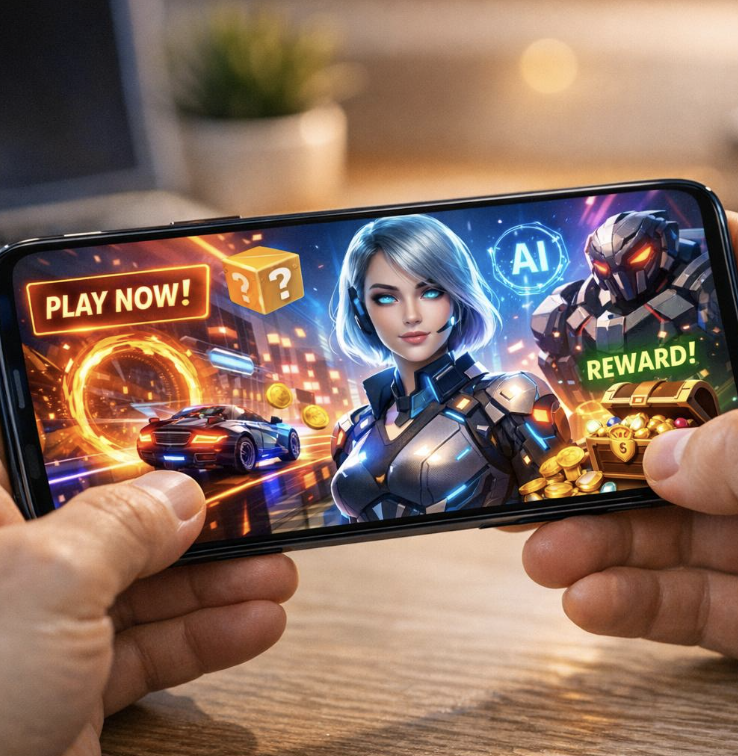
Mobile gaming has exploded over the past decade. Whether you’re picking up your first smartphone game or looking to get more serious about playing on the go, there has never been a better time to start. The mobile gaming industry now generates more revenue than PC and console gaming combined, and the range of games available is genuinely impressive — from quick puzzle games to deep role-playing adventures that rival anything on a traditional console.
This guide is written for complete beginners. It walks you through everything you need to know: what mobile gaming actually is, how to get started, what to watch out for, and how to build good habits from day one. By the end, you will feel confident navigating the mobile gaming world on your own.
What is Mobile Gaming?
Mobile gaming refers to playing video games on a smartphone or tablet. These games are downloaded through official app stores — the Apple App Store for iPhone and iPad users, and the Google Play Store for Android users.
Unlike console or PC gaming, mobile gaming does not require expensive hardware. Most modern smartphones can run a wide variety of games straight out of the box. Games range from casual titles like word puzzles and match-three games to more complex experiences like battle royale shooters, strategy games, and massively multiplayer online role-playing games (MMORPGs).
What makes mobile gaming unique is its accessibility. You can play for two minutes while waiting in a queue or spend two hours exploring a detailed open world — the same device handles both. Mobile games are also predominantly free to download, though they often include optional in-app purchases.
Key Features and Benefits of Mobile Gaming
Mobile gaming offers a set of advantages that other gaming platforms simply cannot match. Here is what makes it appealing to millions of players worldwide.
Portability Your gaming device is already in your pocket. There is no need to carry separate hardware, charge a controller, or find a TV. Mobile gaming travels with you naturally.
Low Barrier to Entry Most mobile games are free to download and play. You do not need a gaming subscription or a significant upfront investment to get started. A decent mid-range smartphone is more than enough for the vast majority of games available today.
Massive Game Library Both major app stores offer hundreds of thousands of games across every genre imaginable. Whether you enjoy strategy, sports, puzzles, action, or storytelling, you will find something that suits your taste.
Touch-Based Controls Mobile games are designed specifically for touchscreens. Controls are intuitive for beginners because they rely on tapping, swiping, and dragging — gestures that feel natural to most people who already use a smartphone.
Social and Multiplayer Options Many mobile games include social features. You can connect with friends, compete in real-time against players worldwide, join guilds or clans, and share achievements. This social layer adds depth to the experience.
Regular Updates Mobile games tend to receive frequent updates. Developers push new content, events, and improvements on a regular basis, keeping games fresh over time.
How Mobile Gaming Works: A Step-by-Step Overview
If you have never downloaded or played a mobile game before, here is exactly how the process works.
Step 1: Choose Your Device Any modern Android or iOS smartphone released in the past four to five years will run most popular mobile games comfortably. Higher-end phones offer better graphics and smoother performance, but they are not required for casual play.
Step 2: Open Your App Store On iPhone or iPad, open the App Store. On Android, open the Google Play Store. Both stores are pre-installed on your device and require only a free account to use.
Step 3: Search for a Game Use the search bar to look for a specific game, or browse categories like “Top Free,” “New Releases,” or genre-specific sections. Reading user reviews and checking ratings helps you pick quality titles.
Step 4: Download and Install Tap the “Get” or “Install” button. The game downloads and installs automatically. Most games are small enough to download over mobile data, though larger titles may require a Wi-Fi connection.
Step 5: Create an Account or Play as a Guest Many games ask you to sign in or create an account. This is worth doing because it saves your progress to the cloud, meaning you will not lose your game data if you change phones. Some games allow guest play, but your progress may not carry over.
Step 6: Learn the Controls and Tutorial Almost every mobile game starts with a tutorial. Take it seriously. These introductory sections are designed to teach you the mechanics at a comfortable pace. Skipping them often leads to frustration later.
Step 7: Adjust Settings Visit the in-game settings menu early on. You can usually adjust graphics quality, sound volume, notification preferences, and control sensitivity. Lowering graphics settings on older devices can significantly improve performance.
Advantages and Limitations of Mobile Gaming
Like any platform, mobile gaming has genuine strengths and real drawbacks. Understanding both helps you set the right expectations.
Advantages
Convenience is the biggest strength. Your phone is always with you, which means gaming opportunities arise naturally throughout the day. The free-to-play model also makes it easy to try many different games without financial risk. Touchscreen controls, while different from traditional controllers, are well-suited to the types of games designed for mobile.
Battery life on modern smartphones has improved considerably, and many games are designed to be played in short sessions, which reduces drain. Cloud saving means your progress is protected across devices.
Limitations
The free-to-play model comes with trade-offs. Many mobile games use in-app purchases to generate revenue. Some titles are designed in ways that nudge players toward spending money, either to progress faster or to access certain content. It is entirely possible to enjoy most games without spending anything, but the temptation and pressure can be present.
Screen size is a natural limitation. While tablets offer a larger display, most people play on smartphones, which can make detailed games harder to see or control. Prolonged play sessions on small screens can also cause eye strain.
Heat and battery drain are real concerns during intensive gaming. High-performance games push mobile processors hard, which generates heat and drains the battery faster. Playing while charging can help but may contribute to long-term battery wear if done habitually.
Connectivity requirements are another factor. Many mobile games require a stable internet connection to function. If you are in an area with poor signal, your gaming options may be limited.
Best Practices and Tips for Mobile Gamers
Starting with good habits makes the experience more enjoyable and sustainable long term.
Set a Screen Time Budget It is easy to lose track of time when gaming. Most smartphones include built-in screen time or digital wellbeing features. Use them to set a daily limit if you want to keep gaming from interfering with other activities.
Manage Notifications Wisely Mobile games are notorious for sending frequent push notifications. These can be distracting and intrusive. Go into your phone settings and manage which apps are allowed to send notifications. Allow only the alerts that are genuinely useful to you.
Use Wi-Fi When Possible Downloading large game updates or playing data-intensive multiplayer games over mobile data can eat through your plan quickly. Connect to Wi-Fi whenever you have the option.
Enable Cloud Saving Always link your game progress to an account — whether that is a Google account, Apple ID, or a game-specific account. This protects your progress if your phone is lost, damaged, or replaced.
Be Intentional About Spending Many mobile games offer in-app purchases. Set a personal spending limit before you start playing, not after you are already invested in a game. Most games are designed to be completed without spending money, though it may take longer.
Take Breaks Eye strain and hand fatigue are real. Every 30 to 45 minutes, put the phone down for a few minutes. Look at something in the distance to rest your eyes.
Read Reviews Before Downloading Not all highly rated games are high quality. Read user reviews critically. Look for patterns in negative reviews — complaints about excessive monetization, forced ads, or poor performance on certain devices are useful signals.
Keep Your Phone Cool Intensive games generate heat. Avoid gaming while your phone is in direct sunlight or in a warm enclosed space. If your device gets hot frequently, lower the graphics settings or take a break.
Common Mistakes to Avoid as a Beginner
New players tend to make a handful of predictable mistakes. Being aware of them in advance will save you frustration.
Skipping the Tutorial Tutorials exist for a reason. Even if a game looks simple, the tutorial often introduces mechanics that become critical later. Skipping it leaves gaps in your understanding that can cause problems further in.
Ignoring Storage Management Games take up storage space. Some popular titles require several gigabytes. Neglecting storage management can slow down your phone and prevent updates from installing. Periodically review what games you still play and uninstall the ones you have abandoned.
Spending Impulsively The first few hours of a new game often feel the most exciting, and in-app purchase prompts are timed to appear when engagement is highest. Avoid making any purchases during this initial excitement window. Give yourself at least a few days to decide if a game is worth spending money on.
Playing Only One Genre Beginners sometimes stick rigidly to a single type of game. Exploring different genres — even ones you think you would not enjoy — often leads to discovering favorites you never expected.
Ignoring Battery Health Charging your phone to 100 percent and keeping it plugged in for hours, especially during gaming, gradually degrades battery health. Modern phones have battery optimization features worth enabling. Aim to keep your battery between 20 and 80 percent when possible.
Sharing Account Credentials Some games are tempting to share with family or friends. Be cautious about sharing account details, especially if your account is linked to a payment method.
Not Checking Age Ratings Games have age ratings for a reason. If you are a parent managing a child’s mobile gaming, check ratings and review games before allowing access. Both app stores allow parental controls that restrict downloads by age rating.
Frequently Asked Questions
What type of phone do I need to start mobile gaming? Any modern smartphone released within the last four or five years will handle most popular mobile games. You do not need a flagship device. Mid-range Android phones and older iPhones are capable of running the vast majority of titles in the app stores. For high-performance games with advanced graphics, a more powerful processor and at least 4GB of RAM will provide a smoother experience.
Are mobile games really free? Most mobile games are free to download and play. However, many use an in-app purchase model, where optional items, upgrades, or cosmetic content can be bought with real money. Some games also show advertisements. It is possible to enjoy most free mobile games without spending anything, but some games are designed in ways that make progress slower without purchases.
How do I stop mobile games from draining my battery? Several steps help. Lower the in-game graphics settings, reduce screen brightness while playing, turn off background app refresh for other apps, and avoid playing while charging if possible. Also, close other apps running in the background during gaming sessions.
Is mobile gaming bad for your eyes? Extended screen time at close range can cause eye strain, headaches, and temporary blurred vision — a condition sometimes called digital eye strain. Taking regular breaks, using night mode or reduced blue light settings in the evening, and keeping your screen at a comfortable distance all reduce this risk.
Can I play mobile games without an internet connection? Yes. Many mobile games offer offline play modes. Puzzle games, strategy games, and single-player adventures frequently work without any internet connection. However, multiplayer games, live events, and many free-to-play titles require an active connection to function.
How do I keep my child safe while mobile gaming? Both the Apple App Store and Google Play Store include parental control features. You can restrict downloads by age rating, require a password for any purchase, and set screen time limits directly from your device settings. Reviewing games before your child plays them and talking openly about in-app purchases are also effective approaches.
Conclusion
Mobile gaming is one of the most accessible and enjoyable hobbies you can pick up today. The barrier to entry is low, the game library is enormous, and the convenience factor is unmatched. With the right habits in place from the beginning — managing screen time, protecting your progress, being thoughtful about spending — you can get the most out of the experience without the common pitfalls.
Start with a genre you already enjoy in other areas of entertainment. If you like puzzle-solving, explore puzzle and strategy games. If you love action and competition, battle royale or sports games might appeal to you. There is no wrong entry point.
The most important thing is to approach mobile gaming with intention. Know why you are playing, set reasonable limits that work for your lifestyle, and take time to explore the wide variety of games available. The mobile gaming world is large, constantly evolving, and genuinely rewarding when approached thoughtfully.
Get started today by browsing the top-rated free games in your app store — your next favorite game is probably one download away.