If you have ever missed an important detail from a phone call or wished you had saved a conversation for future reference, you are not alone. Whether you are a journalist, a business professional, a student, or simply someone who wants to keep track of important calls, a reliable call recorder app can make your life significantly easier.
But here is the challenge: not all call recorder apps are created equal. Some deliver poor audio quality. Others raise serious privacy concerns. A few even come with hidden risks that could affect your device or data. So how do you find one that is both high-quality and safe to use?
This article covers everything you need to know about call recorder apps — what they are, how they work, what features matter most, and which types are genuinely worth your time. By the end, you will have a clear picture of what to look for and how to use these tools responsibly.
What Are Call Recorder Apps?
A call recorder app is a mobile or desktop application that captures the audio from your phone calls and saves it as a playback-ready file. These recordings can be stored locally on your device or uploaded to cloud storage, depending on the app you choose.
They serve a wide range of legitimate purposes. Lawyers use them to keep records of client discussions. Journalists use them to document interviews. Business owners use them for training and quality assurance. Individuals use them to remember important details like addresses, instructions, or agreements made over the phone.
The key word here is “legitimate.” Call recording is legal in many places, but the laws vary significantly by country and even by state or province. In some regions, you must notify the other party that the call is being recorded. In others, both parties must give explicit consent. Always check the laws in your location before recording any call.
Key Features to Look for in a High-Quality Call Recorder App
Not every call recorder app deserves space on your phone. Here are the features that separate good apps from unreliable ones.
Clear Audio Quality
This is the most important factor. A call recorder that captures muffled, choppy, or inaudible audio is essentially useless. Look for apps that record in high-definition audio formats and offer noise reduction or enhancement features.
Automatic Recording Option
Manually starting a recording each time is easy to forget. The best apps let you set up automatic recording for all calls, specific contacts, or calls from unknown numbers.
Cloud Backup and Storage
Your recordings are valuable. A good app should offer cloud backup so your files are not lost if your device is damaged or replaced. Look for integration with services like Google Drive or Dropbox.
Easy Playback and Organization
Being able to quickly find and play back a specific call matters. Features like search by contact name, date filters, and folder organization make this much smoother.
Privacy and Data Security
Your call recordings may contain sensitive information. A trustworthy app should have a clear privacy policy, should not sell your data, and should offer options like PIN protection or encryption for your recordings.
Cross-Platform Support
Some apps work only on Android, others only on iOS. If you use multiple devices or plan to switch platforms, cross-platform availability is worth considering.
Transcription Features
Several modern call recorder apps now offer automatic transcription, turning spoken words into readable text. This is incredibly useful for quickly reviewing a call without listening to the entire recording.
How Call Recorder Apps Work
Understanding how these apps function helps you choose the right one and troubleshoot any issues you encounter.
Method 1: VoIP-Based Recording
Some call recorder apps work by routing your call through a third-party server using Voice over Internet Protocol technology. The call is merged with the recording service, which captures both sides of the conversation. This method tends to produce high-quality audio and works consistently across devices.
Method 2: Microphone-Based Recording
These apps use the device’s microphone to capture the audio directly from the phone’s speaker. While this method is simpler, it can sometimes result in lower audio quality, especially in noisy environments.
Method 3: In-Built System Integration
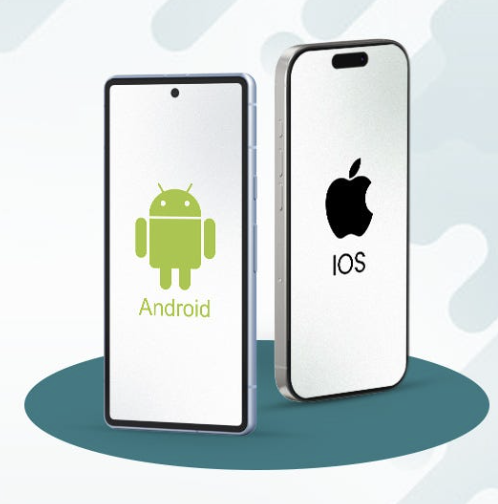
On some Android devices, call recorder apps can directly tap into the phone’s internal audio system. This method typically delivers the best quality but depends on whether the device manufacturer permits it. Apple’s iOS restricts this type of access entirely, which is why call recording on iPhone is more limited.
Step-by-Step: How a Typical Recording Session Works
Step one: You install and set up the call recorder app on your device.
Step two: You configure your preferences — automatic recording, specific contacts, or manual mode.
Step three: You make or receive a phone call.
Step four: The app records the call in real time and saves the file to your chosen location.
Step five: After the call ends, the recording is available for playback, sharing, or transcription.
Advantages and Limitations of Call Recorder Apps
Like any tool, call recorder apps have real strengths and genuine limitations. Here is an honest look at both sides.
Advantages
Accurate record keeping is probably the biggest benefit. When important information is discussed over a call — a job offer, a medical consultation, a contract detail — having a recording means you can go back and verify exactly what was said.
Better accountability is another advantage. In professional settings, recordings can prevent disputes by providing clear evidence of what was agreed upon.
Improved learning and training is also worth noting. Customer service teams and sales professionals often use call recordings to review their own performance and improve over time.
Convenience plays a role too. Instead of scribbling notes while trying to have a conversation, you can focus on the discussion and review the details afterward.
Limitations
Legal complexity is a real concern. As mentioned earlier, call recording laws differ widely. Using a recorder without proper consent can lead to legal consequences in some jurisdictions.
Platform restrictions affect iOS users significantly. Apple does not allow third-party apps to directly access phone call audio on iPhones, which means most call recorder apps on iOS rely on workarounds that are either less reliable or require additional steps.
Audio quality varies based on the recording method and your internet connection. VoIP-based methods can be affected by poor connectivity.
Storage demands can build up quickly if you record many calls. Regular management and cleanup of your recording library is necessary.
Privacy risks exist if you choose a poorly designed or untrustworthy app. Always research an app’s privacy practices before granting it access to your calls and microphone.
Best Practices and Tips for Using Call Recorder Apps
Getting the most out of a call recorder app requires more than just pressing record. Here are practical tips to help you use these tools effectively and responsibly.
Always Notify the Other Party
Even in regions where single-party consent is sufficient, it is good practice to let the other person know you are recording. It builds trust and avoids any misunderstandings.
Use Cloud Backup Immediately
Do not rely solely on local storage. Set up automatic cloud backup from the start so your recordings are protected even if something happens to your device.
Organize Your Recordings with Labels or Tags
Most quality apps allow you to add notes or labels to recordings. Use this feature to mark important calls so you can find them quickly later.
Review Recordings Promptly
Memories fade. Review important recordings soon after the call so the context is still fresh. Use the transcription feature if available for faster review.
Set Up Automatic Recording Selectively
Rather than recording every single call, consider setting automatic recording only for specific contacts like clients, employers, or service providers. This keeps your storage manageable and your privacy intact.
Keep Your App Updated
Developers regularly release updates that improve audio quality, fix bugs, and patch security vulnerabilities. Always keep your call recorder app updated to the latest version.
Check Storage Regularly
Call recordings accumulate quickly. Set a monthly reminder to review and delete recordings you no longer need.
Common Mistakes to Avoid
Even well-intentioned users make mistakes when using call recorder apps. Here are the most common ones and how to avoid them.
Recording without checking local laws is the most serious mistake. Before you record a single call, look up the recording consent laws in your country or state. Ignorance of the law is not a defense.
Choosing an app based on popularity alone can lead to disappointment. A high download count does not guarantee quality or safety. Read reviews carefully, check the app’s permissions, and review its privacy policy.
Ignoring app permissions is another oversight. Some call recorder apps request access to your contacts, location, or other data that is not relevant to their function. Be cautious of any app that asks for more permissions than it needs.
Forgetting to back up recordings is a painful lesson many users learn the hard way. If your phone is lost, stolen, or reset, locally stored recordings are gone forever.
Relying on a free app for critical recordings can be risky. Free versions often come with limitations like lower audio quality, storage caps, or watermarks on transcriptions. For professional use, consider a paid plan.
Storing sensitive recordings unprotected is a privacy risk. If you record confidential conversations, make sure your app offers password protection or encryption, and use it.
Frequently Asked Questions
Are call recorder apps legal to use?
The legality of call recording depends entirely on where you are located. In the United States, federal law allows one-party consent recording, meaning you can record a call you are a participant in without notifying the other person. However, many individual states require all-party or two-party consent. In countries like the UK, Australia, and Canada, similar variations exist. Always research your local laws before recording any call.
Do call recorder apps work on iPhone?
Recording phone calls on an iPhone is significantly more restricted than on Android. Apple does not allow third-party apps to directly access the native phone call audio due to privacy and security policies. Most iOS call recorder apps use a workaround involving a three-way call or a separate phone number provided by the service. These methods work, but they require an internet connection and may not always deliver the same audio quality as Android options.
What audio quality should I expect?
High-quality call recorder apps typically save recordings in standard audio formats like MP3 or M4A. The actual quality depends on the recording method, your internet connection if VoIP-based, and any audio enhancement features the app includes. VoIP-based recorders generally deliver cleaner, more consistent audio compared to microphone-based recorders.
Can the other person know they are being recorded?
Unless you tell them or the app plays an automatic notification tone at the start of the call, the other person typically cannot tell they are being recorded from their end. However, in many regions you are legally required to inform the other party. Some apps include a feature that automatically plays a beep or announcement to comply with local laws.
How much storage do call recordings take up?
Storage usage depends on the length and format of your recordings. A typical one-hour call recorded in standard MP3 format takes up roughly 30 to 60 megabytes. If you record many calls regularly, this can add up quickly. Using cloud backup and setting up automatic deletion for older recordings helps manage this effectively.
Is it safe to use call recorder apps?
Safety depends on the app you choose. Reputable, well-reviewed apps from established developers are generally safe to use. The key factors to evaluate are the app’s privacy policy, the data permissions it requests, whether it encrypts your recordings, and whether it has a history of responsible data handling. Avoid apps that request unnecessary permissions or have vague privacy policies.
Conclusion
Call recorder apps are genuinely useful tools when used correctly and responsibly. They help you capture important information, maintain accurate records, and stay accountable in both personal and professional conversations.
The most important things to remember are straightforward. Choose an app based on audio quality, security features, and a clear privacy policy — not just popularity or price. Always check the recording consent laws in your location. Use cloud backup to protect your recordings. And notify the other party when in doubt.
Whether you are a freelancer keeping track of client calls, a student recording a tutoring session, or a professional documenting agreements, the right call recorder app can save you a great deal of trouble down the line.
Take the time to evaluate your options carefully, read user reviews, and test the audio quality before committing to any single app. The best call recorder for you is the one that fits your specific needs, works reliably on your device, and handles your data with the care it deserves.
Explore your options further, test a few apps with the criteria from this guide, and choose the one that gives you confidence every time you pick up the phone.