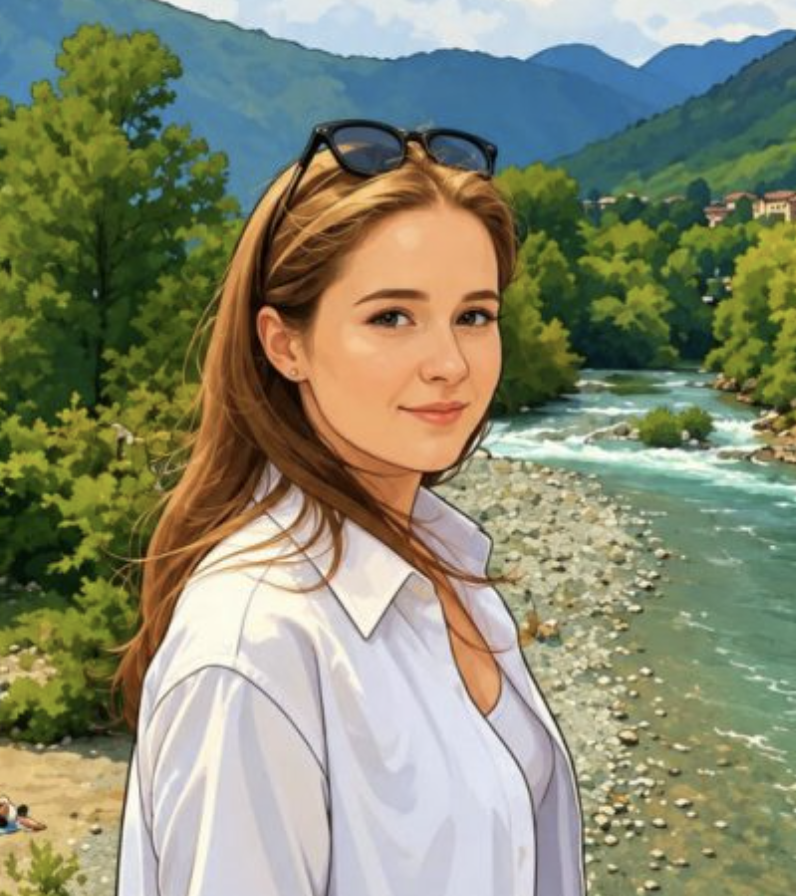

If you have ever wanted to turn a simple text idea into a stunning visual, you are not alone. Millions of people are now using AI image generator apps on their Android phones to create art, illustrations, social media content, and more — without any design experience.
The technology has come a long way. What once required expensive software and professional training can now happen in seconds, right from your pocket. Whether you are a content creator, a student, a small business owner, or simply someone who loves experimenting with visuals, there is an Android app designed for you.
This article walks you through the best AI image generator apps available for Android today. You will learn what they are, how they work, what features to look for, and how to get the most out of them. No technical background required.
What Are AI Image Generator Apps for Android?
AI image generator apps are mobile applications that use artificial intelligence to create images based on text descriptions, called prompts. You type something like “a sunset over mountain peaks with purple clouds,” and the app produces an image that matches your description.
These apps are powered by deep learning models trained on millions of images. The AI learns visual patterns, styles, lighting, and composition, and uses that knowledge to generate something entirely new.
On Android, these apps are designed to be simple and touch-friendly. Most of them do not require any design skills. You just describe what you want, choose a style if available, and let the AI do the rest.
Some popular underlying technologies you will often hear about include Stable Diffusion, DALL-E, and Midjourney-style models. Many Android apps are built on top of these models with user-friendly interfaces added on top.
Key Features to Look for in an AI Image Generator App
Not all AI image apps are built the same. Before choosing one, it helps to understand what separates a good app from a mediocre one.
Text-to-Image Quality
The core function is generating images from text. Look for apps that produce sharp, detailed, and realistic or stylized visuals depending on what you need. Test with specific prompts and see how accurately the app interprets your description.
Style Variety
Good apps offer multiple art styles, from photorealism to watercolor, anime, oil painting, digital art, and more. This flexibility means you can use one app for different creative purposes.
Customization Controls
Advanced users often want control over image dimensions, aspect ratios, detail levels, and generation steps. Apps that offer these settings give you more precise results.
Speed and Performance
On a mobile device, speed matters. The best apps generate images within a few seconds. Some rely on cloud servers for processing, which can be faster but requires a stable internet connection.
Free Tier Availability
Most top apps offer a free plan with a limited number of daily generations. This lets you try before committing to a paid plan.
Privacy and Data Handling
Since you are uploading prompts and sometimes personal images, check the app’s privacy policy. Reputable apps are transparent about how your data is used and stored.
User Interface
A clean, intuitive interface makes the experience enjoyable. The best apps are easy to navigate even for first-time users.
Community and Sharing Features
Some apps include a social feed where you can explore images created by other users. This is great for inspiration and learning what kinds of prompts produce the best results.
How AI Image Generator Apps Work on Android
Understanding the process behind these apps helps you use them more effectively. Here is a straightforward breakdown of what happens when you generate an image.
Step One: You Enter a Prompt
Everything starts with a text description. This is called a prompt. The more specific and descriptive your prompt, the better the result. For example, instead of typing “a dog,” try “a golden retriever sitting in a sunlit park, digital painting style.”
Step Two: The App Sends Your Prompt to an AI Model
Most Android apps send your prompt to a cloud-based AI server. The server runs a deep learning model that processes your text and begins building an image.
Step Three: The Model Generates the Image
The AI model works by starting with random noise and gradually refining it into a coherent image that matches your prompt. This process involves thousands of mathematical calculations happening in milliseconds.
Step Four: The Image Is Returned to Your Device
Once the AI finishes generating, the image is sent back to your Android device and displayed on screen. This typically takes between two to fifteen seconds, depending on the app and your internet speed.
Step Five: You Save, Edit, or Regenerate
Most apps let you save the image to your gallery, share it directly to social media, or generate a new variation. Some apps also allow basic editing like cropping, filters, or upscaling for higher resolution.
Best AI Image Generator Apps for Android
Here is a look at some of the most well-regarded and widely used AI image generator apps available on Android right now.
Adobe Firefly
Adobe Firefly is one of the most polished AI image tools available on mobile. It is built on Adobe’s own AI model and is designed with commercial use in mind. Images generated through Firefly are trained on licensed and public domain content, which makes it a trustworthy option for creators worried about copyright.
The app integrates well with other Adobe tools and offers a clean, professional interface. It includes text-to-image, generative fill, and style transfer options.
Microsoft Designer
Powered by DALL-E technology, Microsoft Designer is a user-friendly app that focuses on helping you create social media graphics, posters, and other visual content. It combines AI image generation with basic design templates, making it ideal for non-designers.
The app works well for people who want AI-generated images embedded in polished layouts rather than standalone images.
Canva with AI Image Generation
Canva has long been a favorite design tool, and its integration of AI image generation makes it even more versatile. Within the Canva Android app, you can generate images using text prompts and immediately drop them into designs.
This combination of design flexibility and AI generation is hard to beat for content creators and marketers.
Bing Image Creator
Bing Image Creator, powered by DALL-E 3, is available for free through Microsoft’s mobile browser and dedicated tools. It produces highly detailed and accurate images based on text prompts. The free generation limit is generous, making it accessible for casual users.
NightCafe Creator
NightCafe is a well-established AI art platform with a strong community aspect. The Android app supports multiple AI models and styles, including Stable Diffusion and DALL-E. It uses a credit system for generation but offers daily free credits.
NightCafe is especially popular among hobbyists and digital artists who like experimenting with different styles.
Dream by Wombo
Dream by Wombo is one of the most accessible AI image apps for beginners. It is straightforward, fast, and fun. You enter a prompt, pick a style, and get a result within seconds. While it may not produce the most photorealistic images, its artistic and abstract outputs are impressive.
Picsart AI Image Generator
Picsart is primarily a photo editing app, but its AI image generation feature is a strong addition. Users can generate images and immediately apply edits, effects, or combine them with photos. This makes it a good all-in-one creative tool.
Stable Diffusion Apps
Several Android apps are built specifically on the Stable Diffusion open-source model. These tend to offer more advanced controls and customization for users who want to fine-tune their results. They often appeal to experienced users who understand prompt engineering.
Advantages and Limitations of AI Image Generator Apps
It is important to have realistic expectations. These apps are powerful, but they are not perfect.
Advantages
They remove the barrier to entry for visual creation. Anyone can produce impressive visuals without any artistic training. They save significant time compared to manual illustration or photography. They are useful for rapid prototyping, social media content, marketing materials, concept art, and personal projects. Most apps are affordable, with free tiers available for casual use.
Limitations
AI-generated images can sometimes misinterpret prompts, producing unexpected or inaccurate results. Highly specific or complex prompts may require multiple attempts before getting a satisfying output. Free plans often come with limits on daily generations or image resolution. Some apps produce watermarked images unless you subscribe to a paid plan. Generating images of real people, brands, or copyrighted characters raises ethical and legal concerns that users must be mindful of.
Best Practices and Tips for Better Results
Getting good results from an AI image generator comes down to how you interact with it. Here are practical tips that make a real difference.
Write Descriptive Prompts
Vague prompts produce vague results. Instead of “a city,” try “a futuristic city skyline at night with neon lights reflected on wet streets, cinematic style.” Every detail you add guides the AI more precisely.
Specify the Style
Most apps respond well to style references. Phrases like “oil painting,” “watercolor illustration,” “photorealistic,” “anime style,” or “concept art” help the AI understand the visual tone you want.
Use Aspect Ratios Wisely
For social media posts, square images work well. For wallpapers, landscape orientation is better. For portrait content, vertical formats are ideal. Set the aspect ratio before generating to avoid cropping issues later.
Experiment and Iterate
Do not expect perfection on the first try. Generate multiple variations, tweak your prompt slightly, and compare results. Small changes in wording can produce dramatically different images.
Use Negative Prompts When Available
Some apps let you specify what you do not want in the image. For example, if you want a landscape without people, you can add “no people” as a negative prompt. This improves accuracy.
Save Your Best Prompts
When you find a prompt that works well, write it down. Building a personal library of effective prompts saves time in future projects.
Common Mistakes to Avoid
Even experienced users make these errors. Being aware of them from the start will save you frustration.
Being Too Vague
Single-word or two-word prompts rarely produce impressive results. The AI needs context to create something meaningful. Always describe the subject, setting, mood, and style.
Ignoring Resolution Settings
If you need high-quality images for printing or professional use, check whether the app offers high-resolution output. Low-resolution images look fine on a phone screen but fall apart when enlarged.
Expecting Perfection Immediately
AI image generation is an iterative process. Expecting a flawless result on the first attempt leads to disappointment. Treat each generation as a draft and refine from there.
Overlooking Terms of Use
Every app has its own rules about how generated images can be used. Some restrict commercial use on free plans. Always review the terms before using images in professional or paid projects.
Ignoring Watermarks
Some apps add watermarks to images generated on free plans. If you plan to share or publish the image, make sure you are aware of this and use the appropriate plan.
Frequently Asked Questions
What is the best free AI image generator app for Android?
Several strong options are available for free. Bing Image Creator offers generous free generations powered by DALL-E 3. NightCafe provides daily free credits. Dream by Wombo is entirely free with basic features. The best choice depends on the image quality and style you prefer.
Do AI image generator apps work without internet?
Most Android AI image apps require an internet connection because the AI processing happens on remote servers. A few apps designed around local Stable Diffusion models can work offline, but these are less common and may require higher-end devices.
Are AI-generated images copyright free?
This is a nuanced topic. The legal status of AI-generated images is still evolving in many countries. Some platforms, like Adobe Firefly, train their models on licensed content and offer clearer commercial usage rights. Always check the specific terms of the app you are using before publishing or selling AI-generated images.
Can I use these apps for professional or commercial work?
Yes, many creators and businesses use AI image apps for commercial purposes. However, you must review each app’s terms of service. Paid plans typically offer more permissive commercial rights than free plans.
Are AI image generator apps safe to use?
Reputable apps from established companies are generally safe. Always download from the Google Play Store, avoid apps with poor reviews or unclear privacy policies, and be careful about what personal information you share through the app.
How do I improve the quality of AI-generated images?
The most effective way is to write more detailed and specific prompts. Including style descriptors, lighting details, mood, and composition guidance significantly improves output quality. Using negative prompts and experimenting with different style settings also helps.
Conclusion
AI image generator apps for Android have opened up a world of creative possibilities for everyday users. You no longer need professional design skills, expensive software, or hours of manual work to create visuals that impress. With the right app and a well-crafted prompt, stunning images are just a few taps away.
The key is choosing an app that matches your specific needs, whether that is photorealism, artistic illustration, social media graphics, or creative experimentation. Apps like Adobe Firefly, Canva, NightCafe, and Bing Image Creator each bring something different to the table. Try a few, explore their free tiers, and settle on the one that fits your workflow.
As the technology continues to improve, AI image generation on mobile will only get better, faster, and more accessible. Now is the perfect time to start exploring what is possible.
Take your time, experiment with different prompts and styles, and enjoy the creative process. The best image you make tomorrow will almost certainly be better than the one you make today.